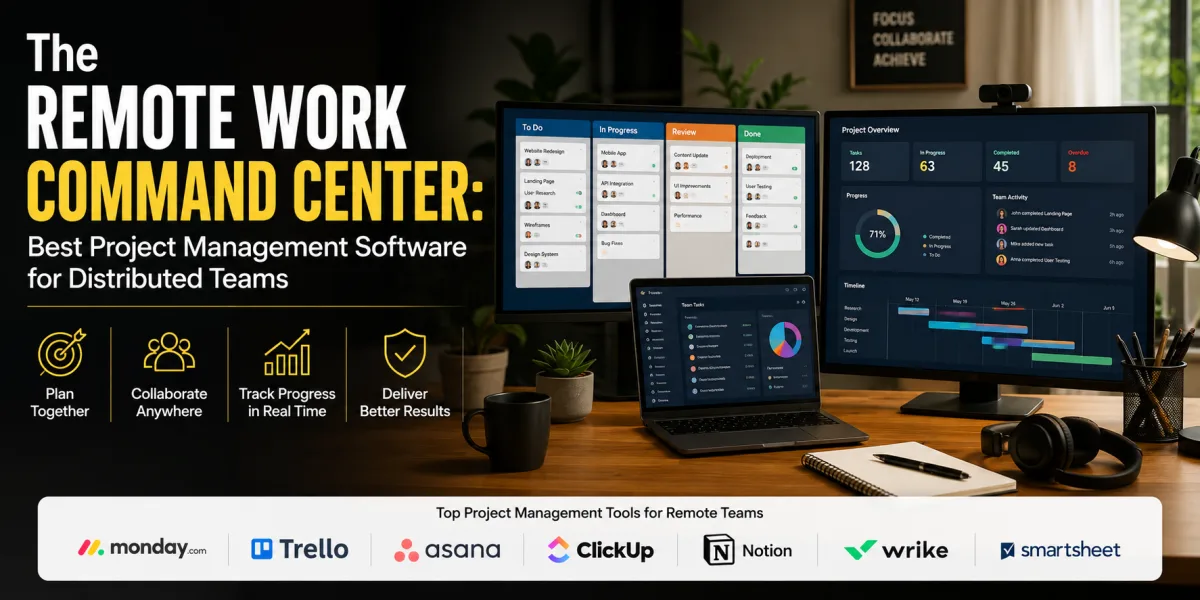
The Remote Work Command Center: Best Project Management Software for Distributed Teams
Remote teams do not fail because people are far apart. They fail because work becomes invisible.
A task is mentioned in a meeting but never assigned. A decision is buried in chat. A deadline changes but only half the team knows. A designer finishes a draft, but the reviewer misses the notification. A client asks for an update, and nobody can say with confidence what is done, what is blocked, and what happens next. The team is busy, but the work has no reliable center.
This is the problem project management software is supposed to solve.
For a remote team, project management software is not merely a digital checklist. It is the shared operating system for work. It tells people what matters, who owns each task, when work is due, where files live, what decisions have been made, which projects are at risk, and how today’s work connects to larger goals. A good tool reduces uncertainty. A bad tool creates another place to check.
The market is crowded because the need is real. Future Market Insights estimated that the global project management software market would be valued at $9.60 billion in 2026 and projected it to reach $32.27 billion by 2036, with cloud-based platforms expected to account for a major share of adoption. Team collaboration tools are also expanding, with Technavio projecting the team collaboration software market to grow by $14.57 billion from 2026 to 2030 at a 14.4% compound annual growth rate.
That growth has produced an overwhelming number of choices. Asana, Monday.com, ClickUp, Trello, Notion, Basecamp, Jira, Smartsheet, Wrike, Microsoft Planner, Airtable, Teamwork, Linear, Todoist, Slack, Microsoft Teams, and many others all promise better coordination. Some are simple. Some are powerful. Some are built for software teams. Some are better for agencies. Some are ideal for visual task tracking. Some become expensive quickly. Some are flexible enough to manage almost anything, which can become a problem if nobody designs the process clearly.
The best project management software for remote teams is not the tool with the most features. It is the tool that makes work visible, accountable, searchable, and easy to move forward without requiring constant meetings.
What Remote Teams Actually Need from Project Management Software
Remote work changes the job of project management. In an office, people can sometimes rely on informal visibility. A manager sees who is stuck. A teammate overhears a question. A designer walks over to a product manager. A deadline becomes obvious because everyone is in the same room preparing for it.
Remote teams lose much of that ambient information. That is not necessarily bad. It can reduce interruptions and increase focus. But it means the work system must be clearer.
A remote project management tool should answer six questions quickly: What are we trying to accomplish? What needs to be done? Who owns each task? When is it due? What is blocked? Where can I find the latest information?
If the tool cannot answer those questions, it is not functioning as a project management system. It may be a task list, a database, a chat extension, or a documentation space, but it is not providing enough operational clarity.
Remote teams also need asynchronous collaboration. People may work across cities, countries, time zones, family schedules, client deadlines, and deep-work blocks. The tool should allow a teammate to understand status without interrupting someone else. This requires clear task descriptions, comments, due dates, owners, dependencies, file links, project briefs, and decision records.
Good remote project management software also reduces meeting load. A team should not need a meeting simply to ask, “Where are we?” The project board, timeline, dashboard, or status update should answer that.
Research on work-from-home software teams has shown that resilience depends heavily on team, agility, and leadership, and that coordination mechanisms and collaborative tools play a meaningful role in distributed work. The lesson is practical: tools matter, but only when paired with clear team habits.
How to Choose the Right Tool
Before comparing platforms, define the kind of work your remote team does.
A marketing team may need campaign calendars, content workflows, approvals, asset tracking, launch timelines, and recurring tasks. A software team may need sprints, backlogs, bug tracking, roadmaps, dependencies, and developer integrations. An agency may need client projects, deadlines, file approvals, time tracking, and profitability visibility. An operations team may need repeatable processes, forms, automations, dashboards, and handoffs. A leadership team may need goals, milestones, status reporting, and cross-functional visibility.
The wrong tool often comes from choosing by reputation instead of workflow. A software development team may outgrow Trello quickly if it needs sprint planning and issue tracking. A small creative team may find Jira unnecessarily heavy. A founder may buy ClickUp because it can do everything, then create a workspace so complex nobody uses it. A remote team may try to use Slack as project management and later discover that chat is not a reliable system of record.
Choose based on workflow, not popularity.
The most important evaluation factors are usability, task ownership, views, collaboration, reporting, integrations, automation, permissions, search, pricing, and adoption. A powerful tool that the team resists will fail. A simple tool that everyone updates may outperform a sophisticated system with poor data.
Project management software should not become the work. It should make the work easier to see and complete.
1. Asana
Asana is one of the strongest all-around project management tools for remote teams that need structured task management, multiple project views, cross-functional collaboration, automation, and reporting. It works especially well for marketing, operations, product, creative, HR, customer success, and general business teams.
Asana’s strength is clarity. Tasks can have owners, due dates, subtasks, dependencies, comments, attachments, custom fields, rules, and project membership. Teams can view work as lists, boards, timelines, calendars, and dashboards. This makes Asana useful for remote teams that need different ways to see the same work.
Asana’s own project management software guide describes project management software as a centralized platform that replaces scattered spreadsheets and emails with a shared workspace for assigning tasks, setting deadlines, collaborating, and monitoring progress. It also identifies common features such as task management, timelines, collaboration, reporting dashboards, workflow automation, and integrations. That description captures Asana’s core appeal: it is built to make work trackable across functions.
Asana is particularly useful when work moves through stages. A marketing campaign can move from brief to draft to design to review to launch. A product launch can include dependencies across product, design, engineering, sales, support, and leadership. An operations process can recur every month with assigned owners and deadlines.
The pricing structure matters. Asana offers five tiers: Personal, Starter, Advanced, Enterprise, and Enterprise+, with the smallest paid subscription listed as a two-seat plan. Its pricing page also highlights AI Teammates as available on Starter and higher plans, with advanced customer success and support options attached to certain tiers. Remote teams should calculate the cost by users and required features, not only the advertised entry plan.
Asana is best for teams that need structured work management without the technical complexity of software-development-first tools. Its risk is overbuilding. If every project has too many custom fields, rules, and sections, the workspace can become heavy. A team should begin with a simple structure and add sophistication only when needed.
2. Monday.com
Monday.com is a highly visual work management platform that can support project management, operations, sales workflows, marketing calendars, HR processes, and cross-functional dashboards. It is especially appealing to remote teams that want flexible boards, colorful interfaces, automations, templates, and custom workflows.
The platform positions itself as an AI work platform where people and agents work together across departments such as marketing, operations, IT, product, sales, HR, and PMO. It also promotes an unlimited-time free plan and AI-assisted workflows. This broad positioning matters because Monday.com is not only a task manager. It can become a customizable operating layer for many business processes.
Monday.com is strong for teams that think visually. Projects can be organized with boards, columns, statuses, owners, dates, timelines, dashboards, and automations. A remote operations team can use it for recurring workflows. A marketing team can manage campaigns. An agency can track client projects. A leadership team can monitor goals and workload.
TechRadar’s review of Monday.com describes it as flexible and user-friendly, with visual organization, customizable workflows, templates, collaboration tools, third-party integrations, mobile access, and AI tools including blocks, assistants, and agents. The same review notes pricing tiers from Basic through Enterprise, with higher levels adding more advanced functionality.
The advantage is flexibility. The danger is flexibility. Monday.com can be configured many ways, which means a remote team must define standards. Without naming conventions, board ownership, required fields, and reporting rules, different teams may create disconnected systems that look useful locally but fail globally.
Monday.com is best for remote teams that want a flexible, visual work hub and are willing to design their workflows intentionally. It is less ideal for teams that need strict software issue tracking or those that want a minimalist tool with almost no setup.
3. ClickUp
ClickUp is one of the most feature-rich project management platforms for remote teams. It combines tasks, documents, goals, dashboards, whiteboards, forms, time tracking, automation, chat-like features, and multiple views into one workspace. Its core promise is consolidation: fewer tools, more work managed in one place.
That makes ClickUp attractive for startups, agencies, remote operations teams, small businesses, and founders who want one platform to manage tasks, documents, project plans, goals, and workflows. A team can create spaces for departments, folders for projects, lists for workstreams, and tasks for execution. Views can include list, board, calendar, Gantt, workload, table, and more.
ClickUp is especially useful for teams that want customization. A content team can build editorial workflows. An agency can track clients and deliverables. A product team can manage roadmaps. A remote leadership team can monitor goals and dashboards. A freelancer can use it as a personal operating system.
The challenge is complexity. ClickUp can do so much that teams may overdesign their system. A remote team can end up spending more time managing ClickUp than managing work. Adoption can suffer if users feel overwhelmed by hierarchy, fields, views, statuses, and notifications.
ClickUp is best for teams that want an all-in-one workspace and have someone willing to own system design. It is not ideal when a team wants the simplest possible task board or has no appetite for configuration.
4. Trello
Trello is one of the simplest and most approachable project management tools. It is built around Kanban boards, lists, and cards. Remote teams can create boards for projects, move cards through stages, assign owners, add due dates, attach files, and comment on work.
Trello’s strength is simplicity. Almost anyone can understand it within minutes. A board might have columns such as To Do, In Progress, Review, and Done. A content team might use Ideas, Drafting, Editing, Scheduled, Published. A hiring team might use Applied, Screening, Interview, Offer, Hired. The visual movement of cards makes status obvious.
Trello is best for small remote teams, freelancers, simple workflows, lightweight operations, editorial calendars, personal productivity, and teams that dislike complicated tools. It can also serve as a starter project management system for businesses moving away from spreadsheets and chat-based coordination.
The downside is depth. As projects become more complex, Trello may require power-ups, automation, external reporting tools, or more careful board design. Dependencies, portfolio-level reporting, workload management, advanced permissions, and complex cross-project visibility are not its natural strengths compared with Asana, Monday.com, ClickUp, Wrike, or Smartsheet.
Trello is ideal when the work is visual and simple. It becomes less ideal when leadership needs sophisticated reporting across many projects.
5. Notion
Notion is a flexible workspace that combines documents, databases, wikis, notes, project boards, calendars, and lightweight task management. For remote teams, its greatest strength is knowledge management. It can become the place where project plans, meeting notes, decision records, process documents, company policies, task databases, and team dashboards live together.
Notion is best for remote teams that need both documentation and project tracking. Many distributed teams struggle because information is scattered across Slack, Google Docs, email, project boards, and personal notes. Notion can centralize the “why” and “how” behind work, not only the task list.
A remote team can use Notion for operating manuals, project briefs, roadmaps, team homepages, editorial calendars, product specs, client documentation, onboarding, and recurring meeting notes. Its database structure allows teams to create custom views by owner, status, date, priority, project, or department.
The risk is that Notion is not a traditional project management tool for every use case. It can manage projects, but it may not match the advanced task dependencies, workload planning, automation, and reporting of tools built specifically for project execution. It also requires information architecture. Without clear structure, Notion can become a beautiful maze.
Notion is best when remote teams need a shared brain as much as a task board. It is less ideal when project execution requires heavy scheduling, resource planning, or enterprise reporting.
6. Basecamp
Basecamp has long appealed to teams that want simple, calm project management without feature overload. It combines message boards, to-dos, schedules, file sharing, group chat, automatic check-ins, and project spaces. Its philosophy is less about complex reporting and more about reducing chaos.
Basecamp can be excellent for remote teams that want fewer meetings and fewer apps. A project has a home. Discussions happen on message boards. Tasks live in to-do lists. Files are attached. Schedules are visible. Automatic check-ins can replace repetitive status meetings.
This makes Basecamp useful for small businesses, agencies, creative teams, consultants, nonprofits, and remote teams that value simplicity and written communication. It works well when the team wants to keep projects organized but does not need advanced dependencies, portfolio analytics, or granular workflow automation.
The downside is that Basecamp may feel limited to teams that want detailed dashboards, custom fields, time tracking, sprint planning, or complex views. It is intentionally opinionated. That is its strength and its limitation.
Basecamp is best for teams that want project communication and task tracking in a simple environment. It is less suitable for teams that need deep operational analytics.
7. Jira
Jira is one of the strongest project management tools for software development teams. It is designed around issues, sprints, backlogs, workflows, releases, bugs, epics, and agile development. Remote engineering teams often rely on Jira because it provides structure for complex technical work.
Jira is best for software teams, product teams, engineering organizations, QA teams, DevOps environments, and technical groups that need detailed issue tracking and agile workflows. It integrates deeply with development tools and supports scrum, kanban, roadmaps, custom workflows, reporting, and release planning.
For remote software teams, Jira can create the discipline needed to coordinate across time zones. Developers can see what is in the sprint, what is blocked, what is ready for review, what has shipped, and what remains in the backlog. Product managers can connect roadmaps to execution. QA can track bugs and regressions.
The downside is that Jira can be too heavy for non-technical teams. A marketing team or small client-services team may find the terminology and workflow structure unnecessary. Jira is powerful, but it is not always friendly to casual users.
Research on agile collaboration tools has emphasized the role of tools such as Slack, Microsoft Teams, and Confluence in supporting communication, knowledge sharing, task coordination, and agile principles across remote and cross-functional contexts. Jira often fits into that broader software-team ecosystem, especially alongside Confluence for documentation.
Jira is best when technical rigor matters. It is not the best tool for every remote team simply because it is powerful.
8. Smartsheet
Smartsheet is a strong option for teams that think in spreadsheets but need project management, automation, forms, reporting, and enterprise controls. It is especially useful for operations, PMO teams, construction-adjacent work, marketing operations, program management, resource tracking, and organizations that need structured grids with more power than Excel or Google Sheets.
Smartsheet’s appeal is familiarity. Many teams already understand rows, columns, dates, owners, statuses, and formulas. Smartsheet builds project management capabilities on top of that structure. Teams can use grid views, Gantt charts, dashboards, forms, automations, reports, and approvals.
For remote teams, Smartsheet can provide strong visibility across multiple projects. Leadership can review dashboards. Project managers can track dependencies and deadlines. Teams can collect updates through forms and automate reminders.
The downside is that Smartsheet may feel less modern or conversational than tools like Asana, Monday.com, or ClickUp. It can also become complex if sheets proliferate without governance. Like any spreadsheet-style system, structure matters.
Smartsheet is best for teams that need structured project tracking, reporting, and governance, especially when spreadsheet familiarity is an advantage.
9. Wrike
Wrike is a powerful project management platform often used by marketing teams, creative teams, agencies, operations teams, and enterprise groups. It supports tasks, folders, projects, Gantt charts, dashboards, request forms, proofing, approvals, time tracking, workload views, and reporting.
Wrike is particularly useful for teams managing many projects with repeatable workflows and stakeholder approvals. A marketing team can use request forms to intake work, route creative assets through review, track campaigns, and report on workload. An agency can track deliverables, deadlines, approvals, and time. Operations teams can standardize processes.
For remote teams, Wrike’s strength is controlled collaboration. It can reduce confusion when many people need to review, approve, or contribute to work. Its proofing and approval features are valuable for creative and marketing workflows where feedback often becomes scattered across email and chat.
The downside is that Wrike can be more complex than simpler tools. Teams need setup discipline and training. Smaller teams with basic task tracking may find it more than they need.
Wrike is best for remote teams with structured workflows, recurring requests, approvals, and reporting needs.
10. Microsoft Planner and Microsoft Project
Microsoft’s project management ecosystem can be attractive for companies already using Microsoft 365. Microsoft Planner is useful for lightweight task management inside the Microsoft environment, while Microsoft Project is more appropriate for formal project planning, schedules, dependencies, and resource management.
Remote teams that already use Teams, Outlook, SharePoint, OneDrive, and Microsoft 365 may prefer Microsoft tools because they reduce vendor sprawl. A task discussed in Teams can connect to Microsoft planning workflows. Files can live in SharePoint or OneDrive. Meetings can connect through Outlook and Teams.
Planner is best for simple team task boards and lightweight coordination. Microsoft Project is better for formal project managers handling detailed schedules and dependencies. The right choice depends on project complexity.
The downside is that Microsoft’s project tools can feel fragmented. Teams may need to understand when to use Planner, To Do, Project, Lists, Teams, Loop, or SharePoint. Without clear rules, work can still scatter.
Microsoft tools are best for organizations already committed to Microsoft 365 and willing to define how the ecosystem should be used.
11. Airtable
Airtable is a flexible database platform that can function as project management software, content calendar, CRM, inventory tracker, product roadmap, event planner, hiring tracker, and operations system. It combines spreadsheet familiarity with database power.
For remote teams, Airtable is useful when projects involve structured data. A content team can track articles, writers, keywords, status, publish dates, images, and channels. A product team can track features, customer feedback, priority, release stage, and owner. An operations team can manage requests, assets, vendors, or processes.
Airtable’s strength is customization. It can model work in ways traditional task tools may not. Views can include grid, calendar, kanban, gallery, forms, and interfaces. Automations can move data, notify users, and trigger workflows.
The risk is that Airtable requires someone to design the database well. Poorly structured bases become confusing. It is not always ideal for simple task management, and it can become expensive as records, users, interfaces, and automation needs grow.
Airtable is best for remote teams that manage structured information and need custom workflows. It is less ideal when the team only needs a simple task list.
12. Teamwork
Teamwork is a project management tool especially relevant for agencies, client-service businesses, consultants, and teams that need to manage billable work. It supports tasks, milestones, time tracking, resource management, client collaboration, budgets, and project profitability features.
For remote agencies, this matters. The problem is not only whether tasks are done. The problem is whether client work is profitable, deadlines are met, and the team’s time is being used wisely. Teamwork can help connect project execution to business performance.
Teamwork is best for service businesses that manage multiple client projects at once. A marketing agency, design studio, web development shop, consultancy, or implementation firm may need more client-facing project structure than a generic task board provides.
The downside is that product teams, internal operations teams, or software teams may prefer other tools built around their specific workflows. Teamwork’s strongest fit is client project delivery.
13. Linear
Linear is a modern issue tracking and project planning tool designed primarily for software teams. It is known for speed, clean interface, keyboard-driven workflows, cycles, roadmaps, issues, and integrations with development tools.
Remote software teams that find Jira too heavy may prefer Linear. It supports engineering execution without as much configuration overhead. Product and engineering teams can track bugs, features, cycles, and priorities in a fast environment.
Linear is best for startups, product teams, and engineering teams that value speed and simplicity but still need technical work management. It is not designed for every business function. A marketing, HR, or general operations team will usually prefer a broader tool.
Linear shows an important principle: specialized tools can outperform general tools when the workflow is clear.
14. Slack and Microsoft Teams as Project Support Tools
Slack and Microsoft Teams are not traditional project management tools, but remote teams often use them alongside project management software. They are communication hubs, not systems of record.
TechRadar’s comparison of Asana, Microsoft Teams, and Slack for remote teams found Slack strongest for communication, channels, threaded messages, integrations, search, and culture-building features, while noting that Asana is stronger for asynchronous task management and Microsoft Teams fits well into Microsoft 365 environments.
The distinction matters. Chat is excellent for quick coordination, questions, updates, and team presence. It is weak for long-term task tracking because messages move quickly and decisions disappear. A remote team should avoid managing projects entirely in Slack or Teams unless the work is extremely simple.
The healthiest model is integration. Chat is where conversation happens. Project management software is where commitments live. Documentation is where decisions are preserved.
If a decision is made in chat, it should be moved into the project tool or documentation system. Otherwise, the team depends on memory and search.
Best Tools by Team Type
For small remote teams that want simplicity, Trello, Basecamp, Todoist, and Notion can work well. The priority is adoption, not advanced reporting.
For growing business teams, Asana, Monday.com, ClickUp, and Wrike are strong candidates because they support multiple views, owners, dashboards, automations, and cross-functional workflows.
For remote agencies and client-service businesses, Teamwork, ClickUp, Asana, Monday.com, and Wrike deserve serious consideration because client delivery, deadlines, approvals, and time tracking matter.
For software teams, Jira and Linear are usually stronger than general project boards. Jira fits more complex agile and enterprise development environments; Linear fits faster-moving product teams that want speed and cleaner workflows.
For operations and PMO teams, Smartsheet, Monday.com, Wrike, Asana, and Airtable can be strong because reporting, process structure, forms, and dashboards matter.
For documentation-heavy remote teams, Notion, Confluence, Basecamp, and ClickUp Docs may be valuable because remote work depends heavily on shared knowledge.
For Microsoft-centered organizations, Microsoft Planner, Microsoft Project, Teams, SharePoint, and Loop may be preferable because tool consolidation can reduce friction.
The Pricing Trap
Project management software often looks inexpensive until the business adds users, advanced features, automations, reporting, storage, guest access, AI functions, security controls, and integrations.
A remote team should calculate total cost over 12 and 24 months. Include every user who needs access. Include contractors, clients, external guests, or viewers if the platform charges for them. Include plan upgrades needed for timeline views, dashboards, automations, workload planning, forms, time tracking, approvals, or permissions.
The cheapest tool is not always the best financial choice. A $10-per-user platform that saves five hours per week may be far cheaper in practice than a free tool that creates confusion. But an expensive platform that nobody updates is waste.
Pricing should be compared with the cost of missed deadlines, duplicate work, poor client communication, unnecessary meetings, and manager time spent chasing updates.
The right tool should pay for itself through visibility, coordination, and fewer mistakes.
Project Management Software Cannot Fix Broken Management
It is tempting to believe that buying a tool will solve team dysfunction. It will not.
A project management platform cannot define priorities if leadership refuses to choose. It cannot create accountability if managers never follow up. It cannot reduce meetings if every decision still happens verbally. It cannot make deadlines realistic. It cannot make unclear roles clear unless the team agrees on ownership. It cannot force people to write useful task descriptions.
Wired has criticized the tendency to expect project management software to solve productivity problems by itself, arguing that these tools can become complicated and that no single app can universally solve workflow challenges without the right user skills and job fit. That critique is useful because it keeps expectations honest.
Remote teams need operating habits as much as software. Every task should have one owner. Every project should have a clear goal. Every deadline should be visible. Every status should be updated regularly. Every decision should be recorded. Every tool should have a purpose.
The software is the infrastructure. Management is the behavior.
Implementation Rules for Remote Teams
The first rule is to define the workspace structure before inviting everyone. Decide how projects, teams, clients, departments, goals, and recurring work will be organized.
The second rule is to standardize statuses. A remote team should agree what “In Progress,” “Blocked,” “Review,” “Approved,” and “Done” actually mean.
The third rule is to assign owners. A task with no owner is a wish. A task with three owners is confusion. One person should be responsible for moving it forward.
The fourth rule is to define where communication belongs. Quick questions can happen in chat. Task-specific discussion should happen on the task. Long-term decisions should be documented.
The fifth rule is to keep project descriptions useful. A task title alone is not enough. Remote teammates need context, expected output, deadline, links, and acceptance criteria.
The sixth rule is to review the tool in meetings. If managers ask for status verbally while ignoring the project board, the team learns that the board does not matter.
The seventh rule is to remove clutter. Archive old projects. Close completed tasks. Delete duplicate boards. Simplify fields nobody uses.
A remote project management system should become more trustworthy over time, not more chaotic.
A Practical Recommendation
For most remote business teams, Asana is one of the best balanced choices because it combines structure, multiple views, automation, reporting, and ease of adoption.
For visual teams that want flexible workflows across departments, Monday.com is one of the strongest options.
For teams that want one highly customizable workspace for tasks, documents, goals, dashboards, and operations, ClickUp is compelling if the team can manage complexity.
For small teams and simple workflows, Trello remains one of the easiest ways to create immediate task visibility.
For teams that need documentation and project tracking together, Notion can be extremely useful.
For calm client collaboration and simple remote project communication, Basecamp is still a strong choice.
For software teams, Jira and Linear should be evaluated before general-purpose tools.
For spreadsheet-oriented operations and PMO teams, Smartsheet can be a better fit than task-board-first platforms.
For agencies and client-service businesses, Teamwork deserves attention because it connects project delivery with client work and billable time.
The best tool is the one that matches the team’s work, not the one that wins the most comparison charts.
The Bigger Lesson
Remote teams need more than communication. They need coordination.
Chat tools help people talk. Video calls help people meet. Document tools help people explain. Project management software helps people execute. When execution is unclear, remote work becomes stressful, reactive, and meeting-heavy.
Asana, Monday.com, ClickUp, Trello, Notion, Basecamp, Jira, Smartsheet, Wrike, Microsoft Planner, Airtable, Teamwork, Linear, Slack, and Microsoft Teams can all play useful roles. None is universally best. The right choice depends on team size, project complexity, workflow style, reporting needs, software ecosystem, budget, and adoption capacity.
A remote project management system should make work visible without making work heavier. It should reduce meetings, not create more administration. It should clarify ownership, not multiply notifications. It should preserve decisions, not bury them. It should help leaders see risk early and help teammates know what to do next.
Choose the tool after choosing the workflow. Start simple. Assign ownership. Standardize statuses. Record decisions. Review progress inside the system. Measure whether the tool is reducing confusion or simply creating another dashboard.
The best project management software is not the one with the most features. It is the one that turns distributed effort into coordinated progress.
For remote teams, that coordination is the difference between working from anywhere and drifting everywhere.
 Article
 Article
 Article
 Article
 Article
 Article
 Article
 Article