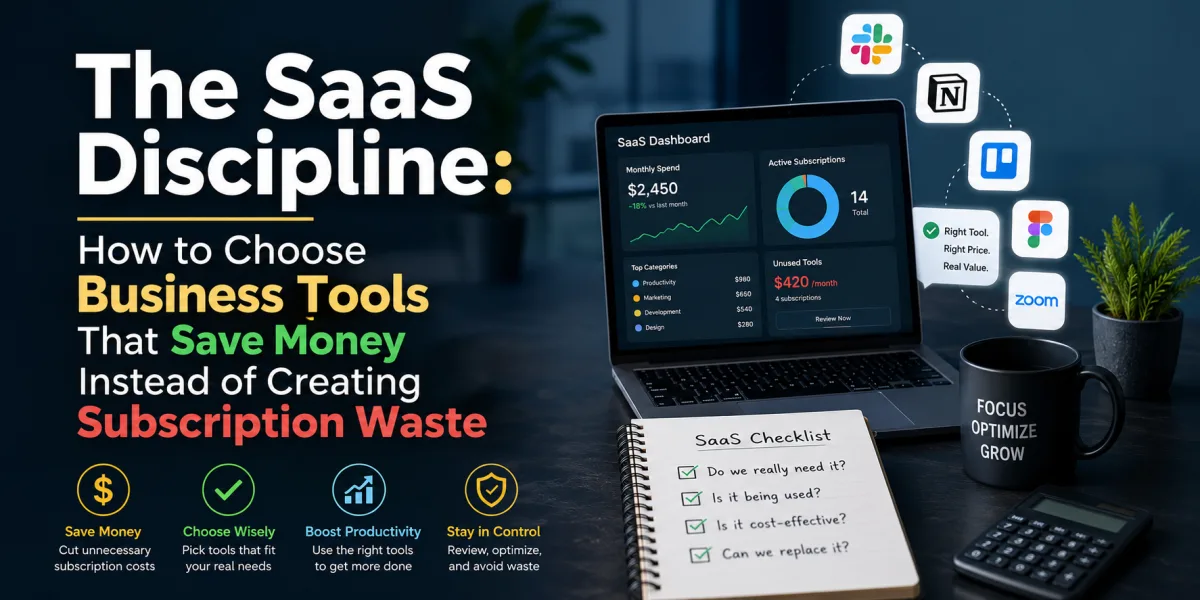
The SaaS Discipline: How to Choose Business Tools That Save Money Instead of Creating Subscription Waste
Software can make a small business feel larger than it is. A solo founder can send invoices, manage customer relationships, run email campaigns, schedule social media, track projects, host video calls, automate forms, collect payments, analyze website traffic, manage inventory, and support customers through tools that once required entire departments.
That is the promise of software as a service, or SaaS. Instead of buying expensive software once, installing it on local machines, and maintaining servers, businesses subscribe to cloud-based tools that are updated continuously and accessed through the internet. The model gives small companies speed, flexibility, and professional capability without heavy upfront investment.
It also creates a new financial problem: subscription sprawl.
A business starts with one tool for email, another for accounting, another for project management, another for customer support, another for scheduling, another for forms, another for social media, another for design, another for analytics, and another for automation. Each one seems affordable alone. Together, they quietly become a monthly tax on the business.
The danger is not only cost. Too many SaaS tools can scatter data, confuse employees, duplicate work, weaken security, complicate customer experience, and make the business dependent on software it barely uses. A company can become more digital and less organized at the same time.
This is why choosing SaaS tools is not a technical decision only. It is a financial and operational discipline.
Software spending continues to grow. Gartner forecast in April 2026 that worldwide IT spending would reach $6.31 trillion in 2026, up 13.5% from 2025. The same forecast reflects how businesses continue to spend heavily on technology even while AI and infrastructure investments shift priorities. ([gartner.com](https://www.gartner.com/en/newsroom/press-releases/2026-04-22-gartner-forecasts-worldwide-it-spending-to-grow-13-point-5-percent-in-2026-totaling-6-point-31-trillion-dollars?utm_source=chatgpt.com)) The SaaS market itself is also large and expanding; Precedence Research estimated the global SaaS market at $408.21 billion in 2025 and projected it to rise from $465.03 billion in 2026 to about $1.37 trillion by 2035. ([precedenceresearch.com](https://www.precedenceresearch.com/software-as-a-service-market?utm_source=chatgpt.com))
That growth means business owners will face more choices, not fewer. Every workflow now has multiple SaaS options. Every vendor promises productivity. Every platform claims to save time. Every AI feature sounds transformative. The owner’s job is to separate useful leverage from expensive distraction.
The best SaaS stack is not the one with the most tools. It is the one that helps the business perform its most important work with the least unnecessary friction.
Start with the Workflow, Not the Software
The most common SaaS mistake is choosing software before defining the workflow.
A business owner hears about a popular tool, watches a demonstration, sees attractive templates, or receives a recommendation from another founder. The software looks impressive, so they subscribe. Only later do they ask what problem it was supposed to solve. That order is backwards.
Software should support work that already matters. Before comparing platforms, write down the process. How does a lead enter the business? Who follows up? How is the customer quoted? How is the project delivered? How are invoices sent? How are payments collected? How are customer questions handled? How are reports reviewed? Where does work get stuck?
For example, a business considering customer relationship management software should not begin with HubSpot, Salesforce, Zoho, or Pipedrive. It should begin with the sales process. How many leads arrive each month? Where do they come from? What stages do they move through? Who owns follow-up? How many touchpoints are needed before purchase? What information must be captured? What reports matter?
Once the workflow is clear, the right CRM becomes easier to identify.
The same principle applies to project management. A business should not choose ClickUp, Asana, Trello, Monday.com, Notion, Jira, or Basecamp because another company uses it. It should ask whether the work is task-based, deadline-based, client-based, sprint-based, recurring, creative, operational, or technical. The tool should fit the work style.
Good SaaS selection begins with a map of the business, not a list of features.
Identify the Business Problem in Financial Terms
A SaaS tool should solve a business problem. That problem should be described in financial or operational terms.
Weak problem statement: “We need a better project management tool.”
Stronger problem statement: “Client projects are missing deadlines because tasks are spread across email, Slack, and spreadsheets. We need one place to assign owners, track deadlines, and show project status so we reduce rework and improve delivery time.”
Weak problem statement: “We need marketing automation.”
Stronger problem statement: “We collect 300 email leads per month but do not follow up consistently. We need an email platform that sends a welcome sequence, segments leads by interest, and tracks which leads convert into consultations.”
Weak problem statement: “We need AI tools.”
Stronger problem statement: “Our team spends six hours per week drafting meeting summaries and follow-up emails. We need a tool that safely summarizes calls, creates action items, and pushes tasks into our project system.”
The stronger version makes evaluation possible. It connects the tool to time saved, revenue recovered, errors reduced, customer experience improved, or decisions made faster.
This is how software becomes an investment rather than a subscription habit.
Separate Must-Have Features from Nice-to-Have Features
SaaS vendors are excellent at showing attractive features. Dashboards, AI assistants, automations, templates, reporting modules, integrations, mobile apps, collaboration tools, and advanced permissions can make every platform look powerful.
But power is not the same as fit.
Before evaluating vendors, divide requirements into three groups: must-have, should-have, and optional.
Must-have features are non-negotiable. An ecommerce business may need Shopify integration, inventory syncing, sales tax handling, or customer segmentation. A consulting firm may need proposal tracking, client portals, time tracking, and invoicing. A healthcare-related business may need strict privacy and compliance controls. A remote team may need permissions, audit logs, and reliable collaboration.
Should-have features are valuable but not essential on day one. These might include advanced reporting, AI suggestions, custom dashboards, or deeper workflow automation.
Optional features are attractive but not necessary. These are the features that often seduce buyers into overpaying.
The discipline is to buy for the must-haves and near-term should-haves. Do not pay today for features the business may use someday in a version of the company that does not yet exist.
Feature bloat is one of the quiet ways SaaS wastes money. Businesses pay for capability they never implement.
Calculate Total Cost, Not Just Monthly Price
SaaS pricing is often designed to look simple at first and become more expensive as the business grows. A tool may advertise a low monthly price, but the real cost depends on users, contacts, storage, automation limits, transactions, integrations, AI credits, support level, reporting features, API access, onboarding, and required add-ons.
Always calculate the full cost over 12 and 24 months.
Start with the base subscription. Add users. Add required features. Add payment processing fees if relevant. Add implementation help. Add data migration. Add training. Add integrations. Add premium support. Add usage-based charges. Add renewal price after any introductory discount expires.
This matters because SaaS subscriptions often grow quietly. A tool that costs $29 per month for one user may cost $300 per month once the team adds seats and unlocks automation. A free CRM may become expensive when the business needs email sequences, advanced reporting, or more contacts. An AI tool may look cheap until usage credits are consumed.
Pricing complexity is not accidental. Research on SaaS pricing models notes that SaaS pricing structures increase variability and complexity because pricing depends on factors such as subscriptions, usage, tiers, and strategic market changes. ([arxiv.org](https://arxiv.org/abs/2404.00311?utm_source=chatgpt.com)) That complexity means buyers must compare more than the headline plan.
A business should also calculate switching cost. If the tool becomes central, leaving it may require exporting data, retraining staff, rebuilding automations, changing integrations, and risking disruption. A cheap tool can become expensive if it traps the business in a poor workflow.
The right question is not, “Can we afford this month’s fee?” The right question is, “Will this tool still make financial sense when we use it properly?”
Measure Return on Investment in Practical Terms
SaaS return on investment does not always show up as direct revenue. Sometimes it appears as saved time, fewer errors, faster collection, cleaner reporting, better customer retention, reduced administrative burden, or improved team coordination.
A CRM might pay for itself by preventing lost leads. An accounting tool might pay for itself by reducing bookkeeping cleanup. A scheduling tool might reduce missed calls. A help desk might reduce customer churn. A project management tool might reduce rework. A password manager might reduce security risk. An automation tool might save hours every week.
To estimate ROI, define the expected benefit before buying.
If a tool costs $100 per month and saves five hours of owner time, the value depends on what that owner time is worth. If those five hours are used to sell, serve clients, or rest enough to avoid burnout, the tool may be worthwhile. If the tool saves time but creates new complexity, the benefit may disappear.
For revenue tools, estimate conversion impact. If a CRM improves follow-up and helps close one extra $1,000 customer per month, a $150 monthly subscription may be easy to justify. If an email tool costs $200 per month but the list is small, inactive, and not tied to offers, the return may be weak.
The purpose of ROI is not false precision. It is disciplined thinking. A business should know why it expects the tool to pay for itself.
Beware of SaaS Sprawl
SaaS sprawl happens when subscriptions multiply faster than the business can track or govern them. Teams sign up for tools independently. Free trials become paid plans. Different departments buy overlapping software. Former employees retain access. Duplicate tools solve the same problem. No one knows the full subscription list.
Monday.com’s 2026 discussion of SaaS sprawl describes the problem as software subscriptions multiplying faster than organizations can track or govern, often as teams independently add tools until overlap and waste build up. ([monday.com](https://monday.com/blog/vibe-coding/saas-sprawl/?utm_source=chatgpt.com)) Flexera’s 2026 State of ITAM discussion similarly highlights how business units buy applications directly, teams experiment with unsanctioned AI tools, free trials convert into paid subscriptions, and overlapping apps stack up across departments. ([flexera.com](https://www.flexera.com/blog/it-asset-management/state-of-itam-2026-saas-sprawl/?utm_source=chatgpt.com))
Small businesses often assume this is an enterprise problem. It is not. A five-person company can still have 40 subscriptions. A solo entrepreneur can still pay for tools they forgot about. A growing team can still have three project management systems, two CRMs, four AI writing tools, and multiple file-sharing accounts.
The solution is a SaaS inventory. List every tool, owner, purpose, monthly cost, renewal date, number of users, login method, data stored, integrations, and whether it is essential. Review the list quarterly.
Any tool without a clear owner and purpose is at risk of becoming waste.
Audit for Duplicate Functions
Duplicate functions are one of the easiest places to save money. Businesses often pay for the same capability in multiple tools without noticing.
A CRM may include email marketing, while the business also pays for a separate email platform. A project tool may include forms, while the team also pays for a forms tool. A design platform may include scheduling, while the business also pays for a social scheduler. A communication platform may include file storage, while the business also pays for additional storage. An accounting tool may include invoicing, while the business pays for separate invoice software.
Duplicates are not always bad. A specialized tool may be better than a built-in feature. But duplicates should be intentional. Paying twice for the same function by accident is poor financial management.
During a SaaS audit, group tools by function: finance, sales, marketing, operations, communication, design, analytics, automation, customer support, HR, security, file management, and AI. Then ask which tool is the system of record for each category.
A system of record is the official place where important information lives. Customer records should have one home. Financial records should have one home. Project status should have one home. When every tool stores slightly different versions of the truth, confusion grows.
Consolidation can save money and improve clarity.
Test Integrations Before Committing
Integrations are one of the main reasons businesses buy SaaS tools. The promise is that the CRM connects to email, the accounting system connects to payments, the ecommerce store connects to inventory, the form connects to the database, and the automation platform moves information between systems.
But integration claims can be misleading. “Integrates with” may mean a deep native connection, a limited one-way sync, a fragile third-party connector, an expensive premium feature, or an API that requires technical work.
Before committing, test the integration that matters most.
If the CRM must connect to the website form, submit a test lead and see where the data goes. If accounting software must connect to the ecommerce platform, test order syncing, refunds, fees, taxes, and inventory. If a project management tool must connect to Slack, test notifications and task creation. If an automation tool must move data between systems, test error handling.
Integration failures can create hidden labor. Staff may spend hours fixing sync errors, reconciling duplicate records, or manually moving data that was supposed to automate. A tool that looks efficient in a demo may create administrative debt in practice.
The best SaaS stack has fewer but stronger integrations.
Evaluate Security and Data Ownership
Every SaaS tool becomes a potential data risk. Customer information, payment details, employee records, contracts, financial data, passwords, health information, intellectual property, and internal documents may all move through cloud platforms.
Security should not be an afterthought. A small business may not have an IT department, but it still has responsibilities.
Before choosing a tool, ask what data it will store. Does it contain customer contact information? Financial records? Health data? Employee documents? Confidential client files? If the data is sensitive, the standard for security should be higher.
Review features such as multi-factor authentication, user permissions, audit logs, data encryption, single sign-on, backup policies, role-based access, compliance certifications, and data export. For regulated industries, confirm whether the tool meets relevant legal requirements. A healthcare, legal, financial, education, or insurance business should be especially careful.
Data ownership also matters. Can you export your data easily? In what format? What happens if you cancel? How long is data retained? Can the vendor use customer data to train AI models? What privacy settings exist?
AI features make these questions more important. A tool may offer AI summaries, drafting, analytics, or chatbots, but businesses should understand what data is being processed and under what terms.
A SaaS tool should make the business more capable without making it careless.
Check Vendor Stability
A SaaS tool is only as reliable as the company behind it. Small businesses sometimes adopt new tools because they are innovative, cheap, or beautifully designed, only to discover later that the vendor shuts down, raises prices sharply, removes features, or sells to another company.
Vendor stability does not mean choosing only large companies. Newer tools can be excellent. But the more central the tool is to the business, the more carefully the vendor should be evaluated.
Ask how long the company has existed. Who are its typical customers? Does it publish status updates? Does it have responsive support? Is there a clear roadmap? Are there export options? Does it have reliable uptime? Are reviews consistent? Does pricing change frequently? Is the company profitable, funded, or transparent enough to trust?
For mission-critical tools such as accounting, CRM, payment processing, customer support, file storage, and operations systems, vendor reliability matters deeply. A business should not build its financial records or customer database on a tool that may disappear without warning.
Innovation is attractive. Continuity is valuable.
Use Trials Properly
Free trials are often wasted. A business signs up, clicks around, watches a demo, and lets the trial expire without testing real work. That does not prove anything.
A proper SaaS trial should use actual business scenarios.
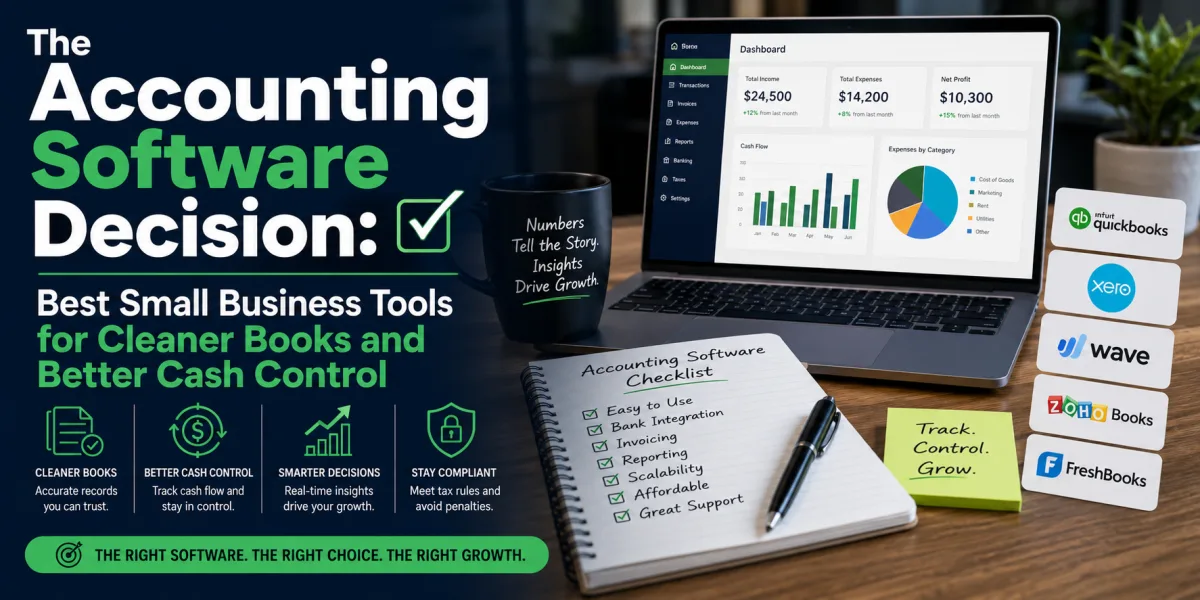
For a CRM, import a sample of contacts, create a pipeline, add test deals, send an email, log a call, create a task, and run a report. For accounting software, connect a bank feed if possible, send a test invoice, categorize expenses, reconcile transactions, and export reports. For project management, create a real project, assign owners, add deadlines, test notifications, and review status dashboards. For customer support software, create test tickets, assign them, respond to customers, and measure workflow.
Give the trial a scorecard. Rate usability, must-have features, integrations, reporting, support, mobile experience, speed, and team adoption. Ask the people who will actually use the software to test it. Do not let only the buyer evaluate it.
A trial should answer one question: will this tool improve the real workflow enough to justify cost and change?
Avoid Buying for the Business You Wish You Had
Ambitious owners often buy tools for the company they hope to become. This can be understandable, but dangerous.
A solo founder may buy an enterprise CRM because they imagine a large sales team. A small agency may buy advanced project management software designed for hundreds of employees. A new ecommerce store may buy complex inventory software before proving product demand. A consultant may pay for marketing automation before building an email list.
Buying ahead of growth can create cost, complexity, and guilt. The tool sits unused because the business is not ready for it. The owner keeps paying because canceling feels like admitting the vision is not real yet.
Choose software for the next stage, not the distant dream. A good rule is to buy for the next 12 to 24 months. The tool should support growth, but it should not require the business to behave like a much larger company immediately.
Scalability matters, but timing matters too.
Do Not Confuse Automation with Maturity
Automation is powerful, but automating a broken process only makes the broken process faster.
Before automating, make sure the manual process works. If lead qualification is unclear, automated follow-up will be inconsistent. If project stages are poorly defined, automated task creation will create noise. If customer data is messy, automated email segmentation will send the wrong messages. If invoice rules are unclear, billing automation will create errors.
The correct sequence is: define the process, run it manually, document it, improve it, then automate the repeatable parts.
Automation should remove friction from a process the business understands. It should not be used to avoid understanding the process.
AI automation deserves extra caution. Tools can now draft emails, summarize calls, classify tickets, generate proposals, create reports, and suggest next actions. These features can save time, but they should include human review where accuracy, tone, compliance, or customer trust matters.
Automation is not a substitute for management. It is a multiplier of whatever management already exists.
Build a Core Stack Before Adding Specialists
Most businesses need a core software stack before they need specialized tools.
The core stack usually includes accounting, customer relationship management, communication, file storage, project or task management, payments, website or ecommerce platform, email marketing, analytics, security, and possibly scheduling. The exact tools depend on the business model.
A freelancer may need accounting, invoicing, calendar scheduling, email, file storage, and a simple CRM. A service business may need CRM, project management, accounting, proposals, scheduling, and customer communication. An ecommerce business may need store platform, payment processing, inventory, email marketing, customer support, analytics, and accounting. A remote team may need communication, project management, documentation, password management, HR, payroll, and video calls.
Specialist tools should come after the core stack is stable. Do not buy advanced analytics if the business has not set up basic tracking. Do not buy a customer success platform before defining customer onboarding. Do not buy an AI knowledge base before organizing internal documents.
The core stack creates order. Specialist tools add leverage later.
Think in Systems, Not Apps
A business does not need disconnected tools. It needs systems.
The sales system may include website forms, CRM, email, scheduling, proposals, and payment collection. The delivery system may include project management, file sharing, communication, time tracking, and client portals. The finance system may include accounting, invoicing, payroll, expense management, and banking. The marketing system may include website analytics, email campaigns, social scheduling, content planning, and landing pages.
Each system should have a clear flow of information. A lead enters the CRM. A consultation is scheduled. A proposal is sent. A deal is won. A project is created. An invoice is issued. Payment is recorded. Customer follow-up begins.
When tools do not connect logically, the business relies on manual transfer, memory, and duplicate entry. That creates errors and delays.
The best SaaS stack feels like an operating system. Data moves where it needs to go. People know where to work. Reports reflect reality. Customers experience consistency.
Assign Ownership for Every Tool
Every SaaS tool should have an owner. The owner is responsible for setup, access, data quality, renewal review, training, and deciding whether the tool still serves the business.
Without ownership, tools decay. Old users remain active. Data becomes messy. Integrations break. Renewal dates pass unnoticed. Features go unused. No one knows whether the subscription is still necessary.
In a small business, the owner may initially manage everything. As the team grows, responsibility should be distributed. Finance may own accounting software. Sales may own CRM. Operations may own project management. Marketing may own email platforms. IT or an operations lead may own security and access.
Ownership prevents SaaS from becoming clutter.
Review Subscriptions Quarterly
A quarterly SaaS review is one of the simplest ways to save money and reduce risk.
During the review, ask: Which tools are we paying for? Who uses each tool? How often is it used? What business problem does it solve? Are there duplicate tools? Are there unused seats? Are annual renewals approaching? Have prices increased? Are there cheaper plans that still meet our needs? Are former employees removed? Are integrations working? Is data export possible?
Cancel tools that no longer serve a clear purpose. Downgrade plans where usage does not justify premium features. Remove unused users. Consolidate duplicates. Negotiate annual pricing only for tools the business is confident it will keep.
Do not wait until cash is tight to review subscriptions. SaaS discipline should be normal financial hygiene.
When to Pay More
Cheap software is not always wise. Sometimes paying more is the financially responsible choice.
Pay more when the tool supports revenue directly, protects sensitive data, reduces significant labor, improves customer experience, integrates critical systems, or avoids costly errors. A reliable accounting platform may be worth more than a free spreadsheet. A strong CRM may recover lost sales. A secure password manager may reduce breach risk. A professional help desk may protect customer retention.
Pay more when support matters. If a tool is mission-critical, slow or poor support can become expensive. Pay more when uptime matters. Pay more when compliance matters. Pay more when migration later would be painful.
The goal is not to minimize software spend at all costs. The goal is to spend deliberately.
When to Choose Simpler Tools
Simplicity is underrated. Many small businesses do not need advanced software. They need consistency.
A spreadsheet may be enough for a small list if it is maintained well. A simple invoicing tool may be enough for a freelancer. A lightweight CRM may be better than Salesforce for a two-person team. A basic project board may be better than a complex workspace that nobody updates.
Choose simpler tools when the workflow is simple, the team is small, the risk is low, and the business is still learning. Complexity should be earned by operational need.
The right tool should make the next action obvious. If software requires constant explanation, it may be too heavy for the stage of the business.
How to Build a SaaS Decision Scorecard
A decision scorecard prevents emotional buying. Score each tool from one to five across the factors that matter most.
Useful categories include workflow fit, must-have features, usability, integration quality, reporting, security, data export, scalability, vendor stability, support, total cost, and team adoption. Weight the categories based on importance. For accounting software, accuracy, accountant access, reporting, and tax compatibility may matter most. For design software, usability and output quality may matter more. For CRM, pipeline fit, adoption, and integrations may dominate.
A scorecard does not make the decision for you. It makes the trade-offs visible.
This is especially useful when multiple team members prefer different tools. The conversation moves from opinion to criteria.
A Practical SaaS Selection Process
First, define the workflow and problem. Write down what is broken, slow, expensive, risky, or missing.
Second, define must-have requirements. Keep the list short and practical.
Third, identify three to five tools. Do not compare twenty unless the decision is enterprise-level. Too many options create decision fatigue.
Fourth, calculate total cost over 12 and 24 months, including users, add-ons, implementation, support, and expected growth.
Fifth, test the top two tools with real workflows. Do not rely only on demos.
Sixth, check integrations, data export, security, and vendor stability.
Seventh, choose one owner and one implementation plan. Decide who sets it up, who uses it, what data goes in, what reports matter, and when adoption will be reviewed.
Eighth, review after 60 to 90 days. If the tool is not being used, diagnose why. Is the workflow wrong? Is training missing? Is the tool too complex? Was the problem poorly defined?
This process may sound slower than signing up immediately. It is faster than buying the wrong tool and cleaning up later.
Common SaaS Buying Mistakes
The first mistake is buying because a tool is popular. Popularity does not guarantee fit.
The second mistake is buying before defining the process. Software cannot clarify a workflow the business does not understand.
The third mistake is choosing based only on the introductory price. The renewal price and add-ons matter more.
The fourth mistake is ignoring integrations. A tool that does not connect to the rest of the stack may create manual work.
The fifth mistake is overvaluing features and undervaluing adoption. Unused features have no ROI.
The sixth mistake is failing to assign ownership. Tools without owners become waste.
The seventh mistake is ignoring security. Small businesses handle sensitive data too.
The eighth mistake is adopting too many AI tools without governance. Unsanctioned tools can create privacy, accuracy, and cost risks.
The ninth mistake is never reviewing subscriptions. Small recurring charges become large annual costs.
The tenth mistake is treating SaaS as a one-time decision. Software needs ongoing management.
The Bigger Lesson
SaaS tools can give a small business extraordinary leverage. They can professionalize operations, improve sales follow-up, automate repetitive work, organize finances, support remote teams, strengthen marketing, and improve customer service.
They can also create waste.
The difference is discipline. The right SaaS tool solves a specific business problem, fits the workflow, integrates with the stack, protects data, produces useful reports, and justifies its cost. The wrong tool adds another login, another bill, another source of confusion, and another place where information gets lost.
Business owners should choose software the way investors choose assets: with a clear thesis, expected return, risk awareness, and review process.
Start with the workflow. Define the problem. Separate must-have features from distractions. Calculate total cost. Test integrations. Protect data. Assign ownership. Review subscriptions quarterly. Cancel what does not earn its place.
The best SaaS stack is not impressive because it is large. It is impressive because it is useful.
Software should make the business clearer, faster, safer, and more profitable. Anything else is just another subscription.
 Article
 Article
 Article
 Article
 Article
 Article
 Article
 Article