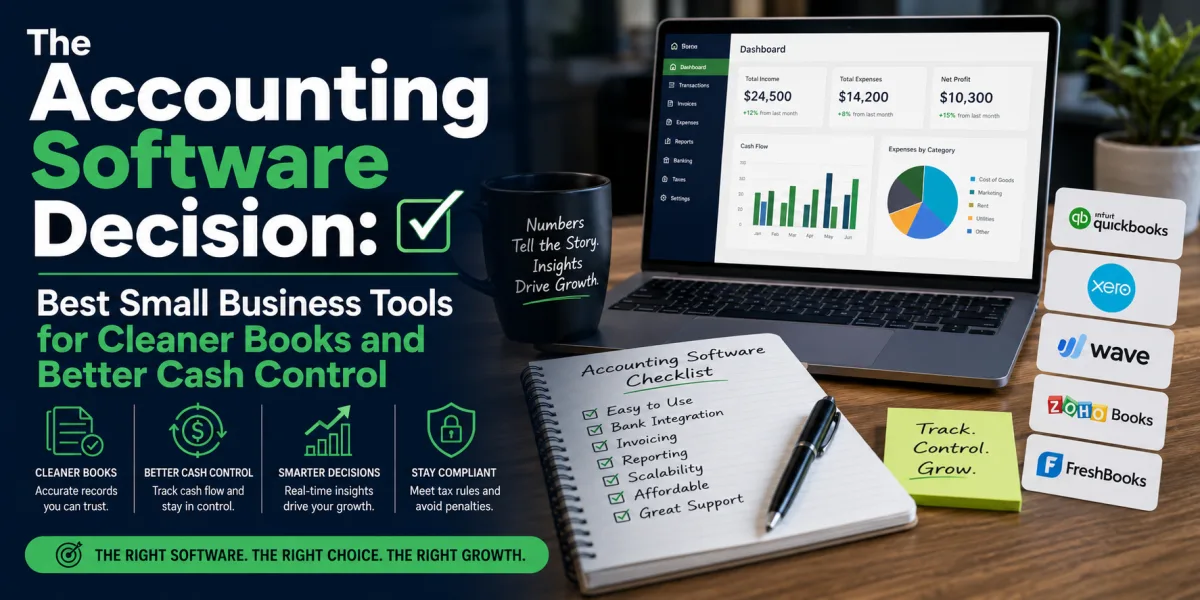
The CRM Choice: Best Customer Relationship Management Software for Growing Businesses
A customer relationship management system is not just a digital address book. For a serious business, it is the memory of the company.
It remembers who inquired, who bought, who almost bought, who needs follow-up, who complained, who renewed, who referred a friend, who opened the proposal, who asked for a discount, who has not heard from the business in six months, and which deal is likely to close next. A good CRM turns scattered customer information into an operating system for sales, service, marketing, and retention.
Small businesses often underestimate this. They begin with a spreadsheet, an inbox, a notebook, a phone contact list, or the owner’s memory. That can work when there are ten customers and five leads. It breaks when there are hundreds of conversations, multiple employees, recurring clients, proposals, quotes, email campaigns, service issues, and sales pipelines.
The problem is not only lost information. The problem is lost money.
A lead that is not followed up becomes lost revenue. A customer whose renewal date is forgotten becomes churn. A sales conversation that is not documented becomes confusion. A support issue that is not visible to the sales team becomes embarrassment. A business that cannot see its pipeline cannot forecast cash flow. A company that depends entirely on one person’s memory becomes fragile.
This is why customer relationship management software matters. The right CRM helps a business track relationships, manage deals, automate follow-up, organize communication, measure sales performance, and create a more reliable customer experience.
The CRM market has also become more sophisticated. Modern platforms are no longer only contact databases. TechRadar’s 2026 small business CRM review notes that CRMs now include AI tools, workflows, communication tracking, lead generation, deal management, analytics, and integrations, with Salesforce, Freshsales, Zoho CRM, HubSpot, Monday Sales CRM, Streak, Pipedrive, Insightly, and Workbooks highlighted for different use cases. ([techradar.com](https://www.techradar.com/best/best-crm-for-small-business?utm_source=chatgpt.com)) Zapier’s 2026 CRM review similarly names Salesforce Sales Cloud for extensibility, HubSpot for versatility, Zoho CRM for all-in-one value, Pipedrive for ease of use, and Close for prospecting and outreach. ([zapier.com](https://zapier.com/blog/best-crm-app/?utm_source=chatgpt.com))
The growth of CRM is not accidental. Grand View Research estimated the global customer relationship management market at $79.6 billion in 2025 and projected it to grow from $86.4 billion in 2026 to $161.3 billion by 2033, driven by demand for AI, automation, analytics, and industry-specific solutions. ([grandviewresearch.com](https://www.grandviewresearch.com/industry-analysis/customer-relationship-management-crm-market?utm_source=chatgpt.com))
But the best CRM is not necessarily the biggest, most famous, or most expensive. A solo consultant does not need the same CRM as a 50-person sales team. A real estate brokerage does not need the same system as a nonprofit. A local service business does not need the same implementation as a venture-backed software company. A tool that is powerful but unused is not an asset. It is subscription waste.
The best CRM is the one your business will actually use, that matches how you sell, serve, follow up, report, and grow.
What a CRM Should Do
At its simplest, a CRM should answer four questions: Who are our customers and prospects? What has happened with them? What needs to happen next? What does this relationship mean financially?
Contact management is the foundation. A CRM should store names, companies, email addresses, phone numbers, roles, notes, conversation history, tags, source information, and relationship status. But contact storage alone is not enough. A spreadsheet can store contacts. A CRM should manage movement.
Pipeline management is the next layer. The system should show where each opportunity sits: new lead, qualified prospect, discovery call, proposal sent, negotiation, won, lost, or renewal. This gives the owner or sales manager visibility into future revenue.
Task and follow-up management are essential. A CRM should prevent leads from disappearing. It should remind the team when to call, email, send a proposal, schedule a demo, renew a contract, request feedback, or re-engage an inactive customer.
Communication tracking matters because customers rarely interact through one channel. They email, call, message, submit forms, book meetings, reply to campaigns, and speak to different team members. A CRM should help the business maintain context.
Reporting turns customer activity into business insight. A useful CRM can show lead source performance, conversion rates, sales cycle length, deal value, revenue forecast, activity levels, customer segments, retention signals, and team performance.
Automation adds leverage. A CRM can send follow-up sequences, assign leads, trigger reminders, update deal stages, create tasks, notify team members, and connect to marketing or support tools. Automation should reduce repetitive work without making the customer experience feel robotic.
The deeper purpose is consistency. A CRM should make the business less dependent on memory and more dependent on process.
How to Choose CRM Software
Before comparing platforms, define how the business sells.
A business with a short sales cycle may need fast lead capture and quick follow-up. A business with a long sales cycle may need deal tracking, notes, proposals, stakeholder mapping, and forecasting. A service business may need appointment reminders and client history. A B2B company may need account management and pipeline reports. An ecommerce brand may need marketing automation and customer segmentation. A consultant may need simple relationship tracking and proposal follow-up.
The wrong CRM often comes from skipping this step. Businesses buy a tool before understanding their process. Then they either overcomplicate the system or fail to use it.
The first selection criterion is usability. If the team hates the interface, adoption will fail. A simpler CRM used every day is better than a sophisticated CRM ignored by everyone.
The second criterion is fit. Does the CRM match your workflow? A sales-led business may need visual pipeline management. A marketing-led business may need email automation and landing page integration. A Google Workspace-heavy business may prefer a Gmail-native CRM. A call-heavy sales team may need built-in calling and outreach tools.
The third criterion is integration. The CRM should connect with email, calendar, website forms, accounting software, ecommerce platforms, help desks, marketing tools, proposal software, payment systems, and automation platforms where needed.
The fourth criterion is reporting. A business should know whether it needs basic dashboards or serious forecasting, territory management, attribution, sales rep performance, and customer lifecycle analytics.
The fifth criterion is cost. CRM pricing can rise quickly as users, contacts, automation, reporting, AI features, phone tools, and marketing functions are added. Introductory plans may be cheap or free, while advanced features sit behind higher tiers.
The sixth criterion is scalability. A business should not overbuy, but it should avoid a tool that will be outgrown immediately. Migrating CRM data later can be painful.
The final criterion is accountability. The best CRM in the world fails if no one owns data quality, pipeline updates, process rules, and training.
1. HubSpot CRM
HubSpot is one of the strongest CRM choices for small businesses that want a generous starting point, strong marketing connections, and room to grow. It is especially attractive for companies that want contact management, website forms, email tracking, landing pages, marketing automation, sales pipelines, live chat, and customer service tools in one ecosystem.
HubSpot’s major advantage is accessibility. Many small businesses begin with its free CRM and later add paid hubs for marketing, sales, service, content, operations, or commerce. TechRadar’s 2026 CRM review highlights HubSpot for free functionality and notes that its free plan gives startups, entrepreneurs, and small businesses a cost-free way to roll out CRM during their early stages. ([techradar.com](https://www.techradar.com/best/the-best-crm-software?utm_source=chatgpt.com))
HubSpot is best for businesses that want an all-in-one growth platform rather than only a sales database. A company that publishes content, collects leads through a website, sends email campaigns, tracks sales conversations, and supports customers may benefit from HubSpot’s connected structure.
It is especially useful for inbound marketing businesses, agencies, consultants, software companies, coaches, online education businesses, B2B service firms, and small teams that want marketing and sales to share the same customer record.
The downside is cost escalation. HubSpot can begin free or affordable, but advanced automation, reporting, sequences, additional seats, and higher-tier hubs can become expensive. A business should compare not only the entry price, but the cost of the features it will need 12 to 24 months later.
HubSpot is a strong default for small businesses that want CRM, marketing, and sales tools under one roof. It is less ideal for companies that need only a narrow sales pipeline and want the lowest possible long-term cost.
2. Salesforce Sales Cloud
Salesforce is the most powerful name in CRM for many organizations. It is known for scalability, customization, enterprise-grade features, reporting, automation, app ecosystem, integrations, and extensibility. For growing companies with complex sales processes, multiple teams, territories, approvals, dashboards, and custom objects, Salesforce can become a serious operating platform.
TechRadar’s 2026 small business CRM guide names Salesforce as its top recommendation, citing powerful features such as AI-driven Agentforce, Slack integration, and scalable plans. ([techradar.com](https://www.techradar.com/best/best-crm-for-small-business?utm_source=chatgpt.com)) Zapier’s 2026 CRM review identifies Salesforce Sales Cloud as best for extensibility. ([zapier.com](https://zapier.com/blog/best-crm-app/?utm_source=chatgpt.com))
Salesforce is best for companies that need a CRM they can shape deeply around their business. It can support complex B2B sales, account management, enterprise teams, partner channels, sales operations, customer service, marketing integrations, and analytics.
The downside is complexity. Salesforce can be overkill for small teams that simply need to track contacts and follow up. Implementation may require consultants, administrators, data design, training, and governance. Without discipline, a Salesforce instance can become cluttered, expensive, and underused.
Salesforce is the right choice when CRM is a strategic system, not a casual tool. It is especially appropriate for companies that expect complexity and can invest in setup. It is not the best first CRM for every small business.
3. Zoho CRM
Zoho CRM is one of the best value options for small and mid-sized businesses that want strong functionality without immediately paying enterprise-level prices. It offers lead and contact management, pipelines, automation, analytics, communication tools, AI features, workflow rules, and integration with the broader Zoho ecosystem.
Forbes Advisor’s 2026 CRM review rated Zoho CRM highly for value, noting that its paid plans offer a large number of features for the money. ([forbes.com](https://www.forbes.com/advisor/business/software/best-crm-software/?utm_source=chatgpt.com)) Zapier’s 2026 review also names Zoho CRM as best for all-in-one value. ([zapier.com](https://zapier.com/blog/best-crm-app/?utm_source=chatgpt.com))
Zoho CRM is especially attractive for businesses already using Zoho Books, Zoho Campaigns, Zoho Desk, Zoho Projects, Zoho People, or other Zoho applications. In that context, CRM becomes part of a broader business operating suite.
Zoho is best for budget-conscious but serious businesses: agencies, service firms, small sales teams, professional service businesses, online businesses, and companies that want automation without the cost of larger enterprise systems.
The downside is that Zoho’s breadth can create complexity. The ecosystem is large, and some users may need time to configure it properly. Businesses should avoid turning on every feature at once. Start with contacts, pipeline, tasks, and basic reporting. Add automation after the sales process is clear.
Zoho CRM is a strong choice for businesses that want value, flexibility, and room to grow, especially if they are willing to spend time on setup.
4. Pipedrive
Pipedrive is designed around sales pipeline management. Its strength is clarity. It helps teams see deals, stages, activities, next steps, and revenue movement without overwhelming users with unnecessary complexity.
Zapier’s 2026 review names Pipedrive as best for ease of use, while TechRadar’s small business CRM guide highlights it for user experience. ([zapier.com](https://zapier.com/blog/best-crm-app/?utm_source=chatgpt.com)) ([techradar.com](https://www.techradar.com/best/best-crm-for-small-business?utm_source=chatgpt.com))
Pipedrive is best for businesses where sales follow a defined pipeline. Examples include consultants, agencies, B2B service providers, software sellers, recruiters, real estate teams, contractors, and professional services firms that need to move prospects from inquiry to conversation to proposal to close.
The advantage is adoption. Salespeople often resist CRMs that feel like administrative punishment. Pipedrive’s visual pipeline makes the system easier to understand. It focuses attention on the next action required to move a deal forward.
The downside is that Pipedrive is less of an all-in-one marketing and service platform than HubSpot or Salesforce. It can integrate with other tools, but businesses that want deep content marketing, customer service, and marketing automation may need additional systems.
Pipedrive is a strong choice for sales-focused teams that want simplicity, pipeline discipline, and faster adoption. It is less ideal for businesses that want one platform to handle every customer-facing function.
5. Freshsales
Freshsales, part of the Freshworks ecosystem, is a strong CRM option for small and mid-sized businesses that want sales automation, contact management, lead scoring, communication tools, and value-oriented pricing. TechRadar’s 2026 small business CRM guide names Freshsales as its best value option, citing strong automation and sentiment analysis from a low starting price. ([techradar.com](https://www.techradar.com/best/best-crm-for-small-business?utm_source=chatgpt.com))
Freshsales is especially useful for businesses that want sales CRM tied to communication. Depending on plan and region, features may include built-in phone, email, chat, lead scoring, workflows, deal management, and AI-assisted insights. For teams that already use Freshdesk or other Freshworks products, it can fit naturally into the broader customer service environment.
Freshsales is best for sales teams that want more automation and communication support than a bare-bones CRM provides, but without immediately stepping into the cost and complexity of Salesforce.
The downside is ecosystem choice. Freshsales is strongest when a business is comfortable with Freshworks as a platform direction. Companies already committed to HubSpot, Zoho, Microsoft, Google Workspace, or Salesforce may prefer tools that fit those ecosystems more naturally.
Freshsales deserves attention from businesses that want modern sales features, automation, and a strong price-to-feature ratio.
6. Monday Sales CRM
Monday Sales CRM is built on the broader Monday.com work management platform. Its strength is visual workflow management, customization, and team collaboration. Businesses that already use Monday for projects, operations, or task tracking may find Monday Sales CRM especially convenient.
TechRadar’s 2026 small business CRM guide highlights Monday Sales CRM for sales-specific tools. ([techradar.com](https://www.techradar.com/best/best-crm-for-small-business?utm_source=chatgpt.com)) It can help teams manage leads, contacts, deals, activities, dashboards, automation, and handoffs in a visual workspace.
Monday Sales CRM is best for companies where CRM overlaps with project management. An agency may need to move a deal from sales into delivery. A service business may need to track onboarding after closing. A consulting firm may want visibility from lead to active client project.
The advantage is flexibility. Teams can customize boards, columns, automations, dashboards, and workflows. The system can feel less like a traditional CRM and more like an operating board for customer work.
The downside is that flexibility can create inconsistency. If every team designs its own process without standards, reporting becomes messy. Monday can be powerful, but it still needs governance.
Monday Sales CRM is ideal for visual teams that want CRM and workflow management close together. It may be less suitable for companies needing deep sales forecasting, enterprise CRM architecture, or strict data models.
7. Insightly
Insightly is a CRM that combines customer relationship management with project management features. That makes it useful for businesses where the sale is only the beginning of the customer journey. After a deal closes, work must be delivered, tracked, and completed.
TechRadar’s 2026 small business CRM guide notes Insightly’s embedded project management as one of its distinguishing features. ([techradar.com](https://www.techradar.com/best/best-crm-for-small-business?utm_source=chatgpt.com))
Insightly can be a good fit for consultants, agencies, implementation firms, professional services businesses, and companies that need to manage relationships and delivery in one place. A business that wins a client project and then needs tasks, milestones, and handoffs may benefit from this structure.
The advantage is continuity. Sales and delivery teams can work from shared customer history. That reduces the common problem where the sales team promises one thing, delivery receives incomplete context, and the customer repeats the same information.
The downside is that businesses needing best-in-class sales automation or deep marketing tools may prefer specialized platforms. Insightly’s value is strongest when project delivery is central to the customer relationship.
8. Copper
Copper is a CRM built for Google Workspace users. It integrates closely with Gmail, Google Calendar, Google Drive, and other Google tools. For businesses that live inside Gmail all day, this can reduce friction significantly.
Zapier’s 2026 CRM review names Copper as best for Google Workspace users. ([zapier.com](https://zapier.com/blog/best-crm-app/?utm_source=chatgpt.com))
Copper is best for relationship-driven teams that want CRM activity close to email. Consultants, agencies, recruiters, real estate teams, small B2B firms, and service businesses using Google Workspace may appreciate its native feel.
The advantage is adoption. If a CRM requires users to constantly leave their inbox and manually enter data, they may resist. A Gmail-centered CRM can make contact tracking and opportunity management feel more natural.
The downside is ecosystem dependence. If the business uses Microsoft Outlook or does not rely heavily on Google Workspace, Copper’s main advantage weakens. Companies needing more advanced sales operations or broader marketing automation may also want to compare alternatives.
Copper is strongest when the business already runs on Google and wants CRM to fit that daily workflow.
9. Close
Close is built for sales teams that do heavy outreach. It is especially relevant for inside sales, outbound prospecting, calling, email sequences, and fast-moving lead follow-up. Zapier’s 2026 CRM review names Close as best for faster prospecting and outreach. ([zapier.com](https://zapier.com/blog/best-crm-app/?utm_source=chatgpt.com))
Close is best for teams that live on calls and emails. If a business depends on sales development representatives, outbound campaigns, demos, and high-volume prospecting, a CRM with built-in communication tools can save time.
The advantage is speed. Sales reps can call, email, track activity, and manage prospects within one workflow. This can reduce tool switching and improve follow-up discipline.
The downside is specialization. Close may be too sales-outreach-focused for businesses that need broad customer service, marketing, project management, or enterprise customization. It is not the ideal CRM for every small business. It is a strong tool for a specific kind of sales engine.
Close is best when revenue depends on proactive outreach and disciplined follow-up.
10. Streak
Streak is a Gmail-based CRM that works directly inside the inbox. It is useful for individuals and small teams that want simple pipeline tracking without adopting a large CRM platform.
TechRadar’s 2026 small business CRM guide highlights Streak as ideal for Gmail users. ([techradar.com](https://www.techradar.com/best/best-crm-for-small-business?utm_source=chatgpt.com))
Streak is best for freelancers, solo consultants, recruiters, small service businesses, and lightweight sales processes where email is the center of activity. It can track leads, deals, hiring pipelines, investor conversations, customer support, or project flows.
The advantage is simplicity. There is very little behavioral change because users remain inside Gmail. For a founder who is not ready for a full CRM, Streak can be a practical bridge between spreadsheets and a larger system.
The downside is scale. As a team grows, needs deeper reporting, adds marketing automation, or requires more complex permissions, Streak may become limiting.
Streak is a good lightweight option for Gmail-centered users who need structure without heavy implementation.
11. Nimble
Nimble is a relationship-focused CRM known for prospecting, contact enrichment, and social relationship management. Zapier’s 2026 review names Nimble as best for prospecting. ([zapier.com](https://zapier.com/blog/best-crm-app/?utm_source=chatgpt.com))
Nimble can be useful for consultants, sales professionals, recruiters, business development teams, and relationship-driven entrepreneurs who need better context around people. It helps organize contacts and enrich profiles from available information.
The advantage is relationship intelligence. Some businesses do not manage thousands of formal deals; they manage networks. Nimble can help make those networks more visible and actionable.
The downside is that it may not replace a full sales operations CRM for companies needing complex forecasting, territory management, deep automation, or enterprise reporting.
Nimble is best for businesses where relationships and prospect context matter more than heavy process architecture.
12. Nutshell
Nutshell is a sales-focused CRM designed for teams that want pipeline management, contact tracking, reporting, and sales process support without excessive complexity. Zapier’s 2026 review names Nutshell as best for managing a sales team. ([zapier.com](https://zapier.com/blog/best-crm-app/?utm_source=chatgpt.com))
Nutshell can be a good fit for small and mid-sized sales teams that need structure, activity tracking, email integration, forecasting, and team visibility. It is often positioned as easier to manage than enterprise CRM systems while still providing meaningful sales tools.
The advantage is balance. It is not as lightweight as a Gmail-only CRM, but not as complex as a heavily customized Salesforce environment. For many small sales teams, that middle ground is useful.
The downside is that businesses seeking a full marketing suite, deep service tools, or broad app ecosystems may compare it against HubSpot, Zoho, or Salesforce.
Nutshell is best for teams that want practical sales management without turning CRM implementation into a major IT project.
13. Attio
Attio is a newer CRM often associated with startups, flexible data models, and modern relationship management. Zapier’s 2026 review names Attio as best for startups. ([zapier.com](https://zapier.com/blog/best-crm-app/?utm_source=chatgpt.com))
Attio can be attractive to companies that want a more modern, customizable approach to relationships. Startups often need to track investors, customers, partners, candidates, users, and strategic relationships in ways that do not fit traditional sales pipelines neatly.
The advantage is flexibility and modern design. It may appeal to teams that dislike legacy CRM structures and want a system closer to the way modern startups actually operate.
The downside is maturity and ecosystem comparison. Newer tools may be less familiar to traditional accountants, sales consultants, or operations teams. Businesses should evaluate integrations, reporting, data export, permissions, and long-term fit before committing.
Attio is best for startups and modern teams that want adaptable relationship management and are comfortable with newer software.
14. Microsoft Dynamics 365 Sales
Microsoft Dynamics 365 Sales is a strong CRM option for businesses already invested in the Microsoft ecosystem. It can integrate with Microsoft 365, Teams, Outlook, Power BI, Power Automate, and other Dynamics applications. For companies using Microsoft as their operational backbone, this integration can be a major advantage.
Dynamics is best for mid-sized and larger organizations, B2B companies, enterprises, and teams needing deeper CRM, analytics, workflow, and enterprise resource planning connections. It can be especially useful where CRM needs to connect with finance, operations, service, and reporting systems.
The advantage is enterprise integration. A business using Microsoft tools heavily may prefer Dynamics because it fits existing identity management, productivity tools, reporting, and workflow automation.
The downside is implementation complexity. Dynamics may be too heavy for a small business that needs only contact tracking and basic pipeline management. It often requires configuration, training, and administrative support.
Dynamics is a strong option when CRM is part of a broader Microsoft-centered operating environment.
15. Industry-Specific CRMs
Some businesses should consider industry-specific CRMs rather than general platforms. Real estate, healthcare, legal services, nonprofits, education, hospitality, financial services, construction, insurance, and automotive businesses may have workflows that generic CRMs do not handle elegantly.
Real estate provides a clear example. TechRadar’s 2026 review of Cinc CRM describes it as a real-estate-focused platform with lead generation, marketing automation, contact management, AI-powered lead tools, and mobile support, but also notes high estimated costs and limited pricing transparency. ([techradar.com](https://www.techradar.com/reviews/cinc-crm?utm_source=chatgpt.com)) TechRadar’s 2026 BoomTown review similarly describes a real-estate CRM with IDX websites, automated marketing, pipeline tracking, forecasting, and mobile access, while noting high monthly costs and required advertising spend. ([techradar.com](https://www.techradar.com/reviews/boomtown-crm-review?utm_source=chatgpt.com))
Industry-specific CRMs can be powerful because they include workflows, terminology, templates, integrations, and compliance features designed for the field. A real estate CRM may include property search, lead routing, text follow-up, and listing integrations. A nonprofit CRM may include donors, campaigns, pledges, and grants. A healthcare CRM may include patient engagement and compliance requirements.
The downside is cost and lock-in. Industry CRMs can be expensive and less flexible outside their niche. A business should confirm that the specialized features are actually needed. Paying premium prices for industry branding alone is not wise.
Industry-specific CRM is best when the business has workflows that general CRM tools cannot handle without awkward customization.
Best CRM by Business Type
For solo entrepreneurs and freelancers, HubSpot Free, Streak, Pipedrive, Zoho CRM, or Freshsales may be enough. The priority is follow-up discipline, contact history, and simple pipeline tracking.
For consultants and agencies, Pipedrive, HubSpot, Zoho CRM, Monday Sales CRM, Insightly, and Copper are strong candidates. These businesses need proposal tracking, client notes, relationship history, and smooth handoff from sales to delivery.
For B2B sales teams, Salesforce, Pipedrive, HubSpot, Freshsales, Nutshell, Close, and Zoho CRM deserve attention. The right choice depends on sales complexity, outreach volume, reporting needs, and budget.
For marketing-led small businesses, HubSpot and Zoho CRM are often strong because they connect CRM with email, forms, segmentation, and campaigns. ActiveCampaign may also be relevant for businesses where email automation is central.
For Google Workspace users, Copper and Streak deserve special attention because they reduce friction inside Gmail and Google tools.
For startups, Attio, HubSpot, Pipedrive, Salesforce Starter or Sales Cloud, and Close can fit different stages. A startup should choose based on whether it needs investor relationship tracking, sales outreach, product-led growth, or enterprise sales management.
For real estate, healthcare, nonprofits, or legal services, industry-specific tools may be worth comparing against general CRMs because specialized workflows can matter.
The Free CRM Question
Free CRM software can be a smart starting point. It helps a business move away from memory and spreadsheets without immediate subscription pressure. HubSpot is often the most visible example, but other platforms also offer free or low-cost entry plans.
A free CRM is useful when the business is early, has few users, limited automation needs, and wants to prove that the team will actually maintain customer records. The risk is that free plans often limit reporting, automation, users, email features, support, or advanced integrations.
The correct approach is to treat free CRM as a beginning, not a guarantee. Ask what happens when the business needs more users, more contacts, more pipelines, email sequences, custom reports, lead scoring, permissions, or automation. If the paid jump is too expensive, the free plan may become a trap.
Free is valuable when it gives the business time to build CRM habits. It is dangerous when it delays a serious decision too long.
The AI CRM Question
AI is becoming a major part of CRM. Platforms now use AI for lead scoring, forecasting, email drafting, call summaries, sentiment analysis, next-best actions, workflow suggestions, chatbots, data cleanup, and customer segmentation.
This can be powerful. Sales teams can spend less time writing notes, managers can spot pipeline risks earlier, and service teams can respond faster. But AI does not remove the need for accurate data. A CRM with messy records will produce weak AI output. Automation built on bad process creates faster confusion.
TechRadar’s 2026 small business CRM review notes that AI costs differ significantly across platforms, from bundled options to pay-per-action models. ([techradar.com](https://www.techradar.com/best/best-crm-for-small-business?utm_source=chatgpt.com)) That matters financially. A CRM may look affordable until AI features, usage credits, or advanced automation are added.
Small businesses should use AI carefully. Start with low-risk productivity features: call summaries, email draft assistance, contact enrichment, task suggestions, and simple lead prioritization. Be cautious with AI handling sensitive customer information, legal matters, financial advice, medical details, or high-stakes decisions.
AI can make a good CRM more useful. It cannot rescue a business that has no sales process, no data standards, and no follow-up discipline.
The Implementation Problem
CRM failure is rarely caused by software alone. It is usually caused by implementation.
A business buys a CRM, imports messy contacts, creates too many fields, forgets to define pipeline stages, fails to train the team, does not assign ownership, and then complains that the system is not useful. The tool becomes another place where information goes to die.
A successful CRM implementation begins with a simple process. Define lead sources. Define pipeline stages. Define required fields. Define who owns each lead. Define when tasks are created. Define what counts as qualified. Define when a deal is closed, lost, or recycled. Define what reports matter.
Start small. A business does not need 80 custom fields on day one. It needs clean contact records, clear next steps, and consistent follow-up.
Training matters. Every user should know how to add contacts, update deals, log notes, create tasks, and read their dashboard. Managers should use CRM data in meetings. If leadership ignores the CRM, the team will ignore it too.
Data quality must be protected. Duplicate contacts, missing emails, vague notes, outdated deal stages, and inconsistent naming conventions make reporting unreliable. Someone must own cleanup.
The CRM is not successful when it is purchased. It is successful when the business changes its behavior.
How CRM Software Improves Cash Flow
CRM software is often treated as a sales tool, but it can also improve cash flow.
A clear pipeline helps forecast future revenue. If the business knows how many deals are likely to close, when they may close, and what they are worth, it can make better hiring, inventory, marketing, and expense decisions.
Follow-up reminders increase conversion. Many deals are not lost because the customer said no. They are lost because the business forgot to follow up.
Customer segmentation improves retention. A business can identify high-value clients, inactive customers, renewal dates, upsell opportunities, and customers at risk of leaving.
Better handoffs reduce service problems. When sales notes, customer expectations, and project details are visible, delivery teams can serve clients better. Better service supports repeat revenue.
Reporting helps allocate marketing spend. A CRM can show which lead sources create real customers rather than only inquiries. This prevents wasting money on channels that produce attention but not revenue.
A CRM does not directly create profit. It creates visibility and discipline. Profit improves when the business uses that visibility to act.
Common CRM Mistakes
The first mistake is choosing a CRM before defining the sales process. Software should support the process, not invent it blindly.
The second mistake is overbuying. A small team may not need enterprise-level customization. Complexity can reduce adoption.
The third mistake is underbuying. A growing company may outgrow a lightweight tool quickly and face painful migration.
The fourth mistake is ignoring user adoption. If the team does not enter data, the CRM becomes useless.
The fifth mistake is failing to clean data before import. Bad spreadsheets become bad CRM records.
The sixth mistake is automating too early. Automate repetitive steps only after the business understands the customer journey.
The seventh mistake is measuring activity instead of outcomes. Calls and emails matter, but conversion, revenue, retention, and customer experience matter more.
The eighth mistake is letting the CRM become a surveillance tool. A CRM should create accountability, not fear. If employees see it only as management tracking, adoption suffers.
The ninth mistake is not connecting CRM to accounting, marketing, or service systems. Customer data becomes more valuable when it flows across the business.
The tenth mistake is never reviewing reports. A CRM that is not used for decisions is only an expensive filing cabinet.
A Practical Recommendation
For most small businesses starting from scratch, HubSpot is one of the strongest first choices because it offers a generous entry point, broad functionality, and room to connect marketing, sales, and service.
For sales-focused teams that want simplicity and pipeline discipline, Pipedrive is often the better fit.
For value-conscious businesses that want broad features and strong integration with a larger business software suite, Zoho CRM deserves serious consideration.
For teams that need enterprise scalability, customization, and advanced reporting, Salesforce is the strongest long-term platform if the business can support implementation properly.
For businesses that want sales automation and communication tools at a strong value, Freshsales is a compelling option.
For teams already using Monday.com for operations or project work, Monday Sales CRM can connect sales with delivery workflows.
For Google Workspace users who want CRM inside their daily email environment, Copper or Streak may reduce friction.
For call-heavy outbound teams, Close may be the better operational fit.
The right CRM is not the one with the longest feature list. It is the one that matches how the business wins and keeps customers.
The Bigger Lesson
Customer relationship management software is a financial tool disguised as an operational tool. It protects revenue by making follow-up visible, relationships trackable, sales pipelines measurable, and customer history accessible.
HubSpot, Salesforce, Zoho CRM, Pipedrive, Freshsales, Monday Sales CRM, Insightly, Copper, Close, Streak, Nimble, Nutshell, Attio, Microsoft Dynamics, and industry-specific CRMs can all be the right choice in the right context. None is universally best.
The decision should begin with the business model. How do customers enter the business? How long does the sale take? Who follows up? What information must be captured? What reports matter? Which tools must connect? How much complexity can the team handle? What will the system cost after the introductory period?
A CRM succeeds when it becomes part of daily work. Leads are entered. Notes are updated. Tasks are assigned. Follow-ups happen. Reports are reviewed. Customers receive timely communication. Managers make decisions from data rather than guesses.
The best CRM does not replace human relationships. It protects them from neglect.
For a growing business, that protection can be worth far more than the subscription fee.
 Article
 Article
 Article
 Article
 Article
 Article
 Article
 Article