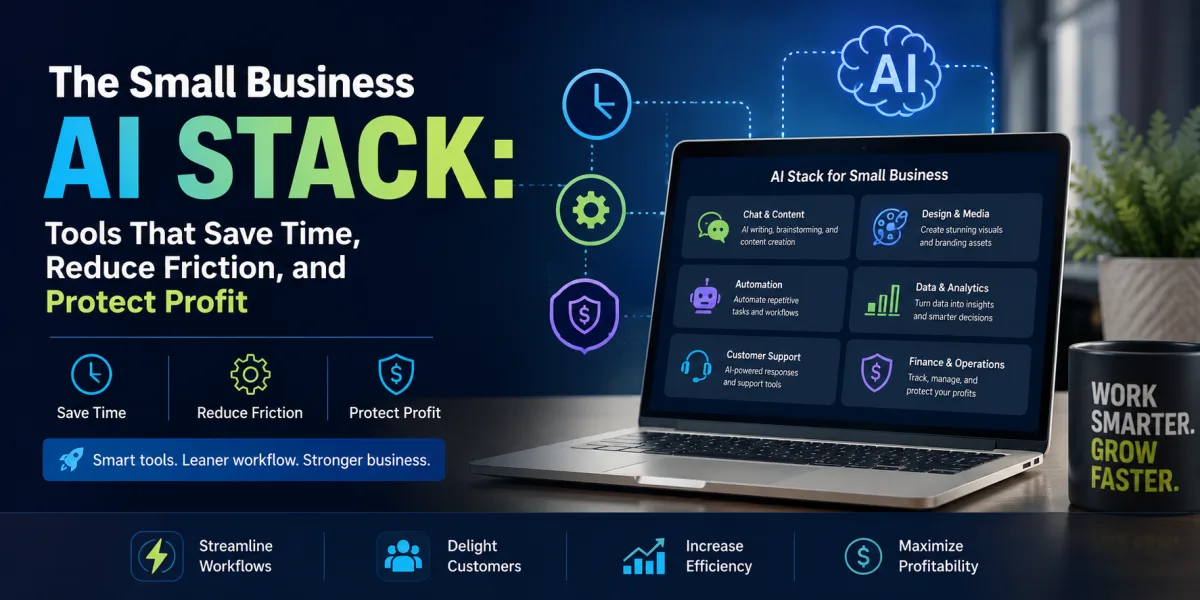
The Small Business AI Stack: Tools That Save Time, Reduce Friction, and Protect Profit
Small business owners do not need more software for the sake of software. They need fewer bottlenecks, faster execution, better customer communication, cleaner operations, stronger marketing, and more time for the work that actually produces revenue.
That is the proper way to think about artificial intelligence tools. AI is not a magic employee. It is not a substitute for judgment. It is not a business strategy by itself. It is a productivity layer that can help a small business owner write faster, respond faster, analyze faster, design faster, summarize faster, organize faster, and automate repetitive work that used to consume scarce hours.
For small businesses, time is not an abstract resource. It is survival capital. The owner is often the salesperson, marketer, customer service desk, operations manager, bookkeeper, recruiter, strategist, and last-resort problem solver. Every hour lost to repetitive work is an hour not spent serving customers, improving products, following up on leads, collecting payments, or building systems.
This is why AI tools matter. Used well, they can help small businesses compete with larger companies that have more staff, bigger budgets, and specialized departments. Used poorly, they become another pile of subscriptions, half-built automations, generic content, and security risk.
The market has already moved beyond curiosity. A 2026 Goldman Sachs survey of small businesses found that 93% of respondents using AI reported a positive business impact, while only 14% said they had fully integrated AI into core operations. That gap tells the real story: small businesses see the value, but many are still experimenting rather than operating with a clear AI system.
The best AI tools for small business owners are not simply the most famous tools. They are the tools that solve a defined business problem at an acceptable cost, fit into existing workflows, protect sensitive information, and make work measurably easier. The right tool depends on the business: a bakery, bookkeeping firm, ecommerce store, marketing agency, landscaping company, tutoring business, dental practice, law office, real estate team, and freelance studio all need different AI support.
This article organizes AI tools by business function. The goal is not to chase every new product. The goal is to build a practical AI stack: a small set of tools that saves time, improves quality, and supports profit.
Start with the Work, Not the Tool
The biggest AI mistake small business owners make is starting with the tool instead of the work. They hear about a platform, sign up for a trial, test a few prompts, get excited, and then wonder how to use it consistently. This creates novelty, not productivity.
A better approach begins with a simple audit. Where does the business lose time every week? Which tasks repeat? Which tasks require writing, summarizing, analyzing, sorting, designing, answering, or organizing? Which customer questions appear again and again? Which documents are created repeatedly? Which manual steps delay revenue?
AI is most useful when applied to recurring work. A one-time task may not justify a new tool. A weekly task that consumes three hours may justify a tool quickly. A daily task that delays customers may justify a tool immediately.
For many small businesses, the best starting points are marketing content, customer service, meeting notes, email drafting, lead follow-up, product descriptions, social posts, data summaries, internal documentation, and simple automation. These are areas where AI can assist without taking over high-risk decisions.
Microsoft’s 2026 Work Trend Index described a shift in which AI agents take on more execution while people direct work, make judgments, and own outcomes. That framing is useful for small businesses: AI should not remove ownership. It should reduce low-value execution so the owner can make better decisions.
1. ChatGPT: The General-Purpose Business Assistant
ChatGPT is often the first AI tool small business owners try because it is flexible. It can draft emails, summarize documents, generate ideas, rewrite copy, explain concepts, create checklists, help with planning, analyze text, role-play customer conversations, and assist with research when connected to current information.
Its greatest strength is range. A small business owner can use it to draft a refund policy in the morning, brainstorm social posts at noon, summarize customer feedback in the afternoon, and prepare interview questions before hiring a contractor. For owners who do not have a marketing department, operations analyst, or writing assistant, this range can be valuable.
The most practical uses include writing first drafts, improving tone, creating FAQs, building checklists, planning content calendars, summarizing long notes, outlining training materials, generating customer service scripts, and converting rough ideas into structured documents.
ChatGPT works best when the owner provides context. “Write a marketing email” will produce generic output. “Write a friendly email to past customers of a local pet grooming business offering a $15 discount on appointments booked before the end of the month; keep it warm, not pushy, and mention limited Saturday availability” will produce something more useful.
The risk is overreliance. ChatGPT can be wrong, vague, or too confident. It can produce generic language if the user gives generic instructions. It should not be used blindly for legal, tax, medical, financial, compliance, or high-stakes advice. A small business owner should treat it as a drafting and thinking assistant, not a final authority.
2. Microsoft Copilot: Best for Businesses Already Using Microsoft 365
Microsoft Copilot is useful for small businesses that already operate inside Microsoft 365. Its value comes from being close to Word, Excel, PowerPoint, Outlook, Teams, and business documents. For a company that lives in email, spreadsheets, proposals, reports, and meetings, this integration can matter more than standalone features.
Copilot can help summarize meetings, draft emails, create document outlines, polish proposals, explain spreadsheet formulas, generate presentation drafts, and help employees find information across Microsoft files if the organization’s permissions are set properly. The tool is strongest when a business already has clean files, consistent naming, and disciplined use of Microsoft apps.
A consulting firm might use Copilot to summarize Teams calls and draft follow-up actions. A contractor might use it to create proposal drafts from job notes. A professional services firm might use it to turn a report into a presentation. A small finance or operations team might use it to explore spreadsheet data.
The main issue is cost and readiness. If a business uses Microsoft 365 casually and stores documents inconsistently, Copilot may be less useful. AI tools become more powerful when business information is organized. If the underlying files are scattered, outdated, or poorly permissioned, AI can surface the wrong things faster.
Copilot is not simply a writing tool. It is a workflow tool for businesses already committed to Microsoft’s ecosystem.
3. Google Gemini for Workspace: Best for Google-Based Teams
Google Gemini for Workspace serves a similar role for businesses using Gmail, Google Docs, Google Sheets, Google Slides, and Google Meet. It can help draft emails, summarize threads, create document drafts, assist with spreadsheet work, generate slides, and support meeting notes.
For small businesses that rely on Google Workspace, Gemini’s value is convenience. It sits near the tools employees already use. A business owner can draft a client email in Gmail, summarize notes in Docs, prepare a slide deck, or work through spreadsheet questions without constantly moving between platforms.
Common use cases include customer email drafts, internal policy drafts, meeting summaries, sales follow-up messages, blog outlines, spreadsheet cleanup, and presentation creation. A small agency might use it to summarize client feedback. A tutoring business might use it to draft parent updates. A local service company might use it to organize job notes into customer communications.
As with any AI system connected to business documents, permissions and data hygiene matter. If old, sensitive, or poorly labeled files are available, AI assistance can become messy. The tool works best when the business has clear document organization and employee access rules.
Gemini is strongest for owners who already live in Google Workspace and want AI embedded into daily communication and documents rather than another separate platform.
4. Canva AI: Best for Small Business Design and Marketing Assets
Canva has become a practical design tool for small businesses because it lowers the barrier to creating social media graphics, flyers, presentations, menus, ads, posters, product inserts, lead magnets, and simple brand materials. Its AI features add support for writing, image generation, design suggestions, background removal, resizing, and content adaptation.
For a small business without a designer, Canva can be a major time saver. A salon can create promotional graphics. A restaurant can update menus. A coach can design worksheets. A real estate agent can make listing posts. A nonprofit can create event flyers. An ecommerce seller can create product inserts and social posts.
The strength is speed and accessibility. The risk is sameness. Because many businesses use the same templates, low-effort designs can look generic. The owner still needs taste, brand consistency, and restraint. AI can help create options, but someone must decide what fits the business.
A good Canva workflow starts with a brand kit: colors, fonts, logo, image style, and tone. Once those basics are set, AI features can help adapt the same message into Instagram posts, flyers, email headers, presentations, and ads. This prevents the business from reinventing design every week.
Canva AI is best for businesses that need consistent marketing visuals but cannot justify hiring a designer for every small asset.
5. Shopify Magic and Sidekick: Best for Ecommerce Sellers
For businesses selling online through Shopify, Shopify Magic and Sidekick are practical AI tools because they are built into the commerce environment. Shopify describes Magic as AI integrated across the platform to help merchants start, run, and grow their businesses, while Sidekick acts as an AI assistant for commerce-related questions and tasks.
AI can help ecommerce sellers draft product descriptions, generate store copy, write email content, create FAQ answers, and improve customer support. Shopify’s 2026 guide to AI for small businesses highlights AI-powered customer service tools such as Shopify Inbox for helping retailers offer more prompt and personalized support, including routine questions like order status.
The value for ecommerce owners is context. A generic AI writing tool can draft a product description. A commerce-focused tool can work closer to products, store setup, customers, and selling tasks. That reduces friction.
Still, product claims must be reviewed carefully. AI should not invent materials, dimensions, certifications, health benefits, delivery times, or return policies. In ecommerce, inaccurate copy can create refunds, disputes, and regulatory risk. AI-generated product descriptions should be treated as drafts, not final truth.
Shopify’s AI tools are best for merchants who need help moving faster across product pages, email, store copy, and customer support while keeping human review in place.
6. HubSpot AI: Best for Small Business CRM, Sales, and Marketing
HubSpot is widely used by small and mid-sized businesses for customer relationship management, email marketing, sales pipelines, landing pages, forms, and service workflows. Its AI features are useful because they connect to the customer journey: attracting leads, following up, managing contacts, and supporting customers.
For a small business, CRM discipline can matter more than almost any marketing trick. Leads are lost when nobody follows up. Customers are forgotten after the first sale. Sales conversations disappear inside inboxes. AI inside a CRM can help summarize interactions, draft follow-up emails, segment contacts, generate content, and support sales activity.
A B2B service provider might use HubSpot AI to draft follow-up messages after calls. A local business might use it to segment customers by interest. A consultant might use it to create email sequences for prospects who downloaded a guide. A small agency might use it to summarize deal notes and prepare next steps.
The tool is most valuable when the business already treats customer data seriously. If contacts are messy, pipelines are outdated, and notes are inconsistent, AI will not fix the underlying discipline. It may help, but only after the owner commits to using the CRM properly.
HubSpot AI is best for businesses that rely on lead nurturing, email marketing, sales follow-up, and customer relationship management.
7. Zapier AI: Best for Connecting Apps and Automating Repetitive Work
Zapier helps businesses connect apps and automate workflows. Its AI features make it easier to create automations, route information, summarize inputs, classify messages, and trigger actions across tools. For small businesses, this can reduce the manual handoffs that consume time.
Examples are practical. A website form submission can create a CRM contact, draft a follow-up email, notify the owner, and add a task. A customer support email can be categorized by topic. A new order can trigger a fulfillment checklist. A meeting transcript can be summarized and saved to a client folder. A new lead from an ad campaign can be routed to the right salesperson.
The value is not automation for its own sake. The value is removing repetitive administrative steps. If the owner copies information from one app to another every day, Zapier may help. If the business already has simple workflows, it may not need elaborate automation yet.
The risk is building fragile systems nobody understands. Every automation should be documented. Someone should know what triggers it, what it does, where errors go, and how to turn it off. A bad automation can send incorrect messages, duplicate records, or create customer confusion.
Zapier AI is best for small businesses that use several apps and repeatedly move information among them.
8. QuickBooks AI and Accounting Automation: Best for Financial Organization
Financial clarity is one of the most important small business disciplines. AI and automation inside accounting platforms can help categorize transactions, match receipts, detect anomalies, forecast cash flow, generate invoice reminders, and summarize financial activity.
QuickBooks, Xero, FreshBooks, and other accounting tools increasingly include automation and AI-assisted features. For small business owners, the value is not replacing an accountant. It is reducing bookkeeping friction and improving visibility.
A business owner should know what money came in, what went out, what invoices are unpaid, what taxes may be due, which products or services are profitable, and whether cash flow is tightening. AI-assisted accounting tools can help organize the data, but human review remains essential.
Small businesses should be especially careful with financial automation. Misclassified expenses, duplicate transactions, incorrect sales tax treatment, and poor invoice tracking can create real problems. AI can assist, but it should not be trusted blindly with tax-sensitive decisions.
The best use is workflow support: receipt capture, transaction suggestions, invoice reminders, spending summaries, and cash flow visibility. For tax planning, compliance, and complex accounting decisions, a qualified professional still matters.
9. Notion AI: Best for Internal Knowledge and Lightweight Operations
Notion AI can help small businesses organize internal knowledge, project plans, meeting notes, SOPs, content calendars, hiring documents, client notes, and operating checklists. It is useful for owners who need a flexible workspace rather than a specialized tool for one function.
A small business can use Notion to create a company wiki, onboarding hub, content calendar, client dashboard, project tracker, product roadmap, or process library. AI can summarize notes, draft procedures, rewrite internal documents, generate checklists, and help convert messy ideas into structured plans.
This is especially valuable for businesses moving from memory-based operations to documented systems. Many small businesses rely on the owner’s brain. That works until the owner gets busy, hires help, or tries to delegate. Documented processes create leverage.
For example, a cleaning company can document client onboarding steps. A marketing consultant can create project templates. A tutoring business can organize student progress notes. A small agency can create standard operating procedures for recurring work.
The risk is overbuilding. Notion can become a beautiful maze. The goal is not to create an elaborate workspace. The goal is to make important information easier to find and repeat.
10. Grammarly: Best for Professional Writing Quality
Grammarly is useful for small businesses because professional writing affects trust. Emails, proposals, website copy, customer replies, reports, job posts, and social content all shape how customers perceive the business.
AI writing tools can draft from scratch, but Grammarly’s strength is review and refinement. It can help catch grammar issues, improve clarity, adjust tone, and polish communication. For teams with multiple people writing customer-facing messages, that consistency can matter.
A small law office, consulting firm, agency, clinic, or financial service provider may use Grammarly to improve professionalism across emails and documents. A customer support team may use it to keep responses clear and courteous. A business owner who writes quickly between tasks may use it as a final check before sending important messages.
The tool should not make every message sound identical. Brand voice still matters. A playful ecommerce brand and a serious professional firm should not communicate the same way. Grammarly is best used as an editor, not a personality replacement.
11. Descript and AI Video Tools: Best for Editing Audio and Video Content
Video and audio content can help small businesses build trust, teach customers, promote products, and repurpose expertise. The problem is editing. Traditional editing can be slow and intimidating. Tools such as Descript and other AI-assisted video platforms can help with transcription, captioning, filler-word removal, clip creation, overdub-style corrections, and format changes.
A consultant can turn a webinar into short educational clips. A fitness coach can caption workout videos. A local business can create quick explainer videos. A podcast host can produce show notes and clips. A course creator can clean up lesson recordings.
The value is speed. AI-assisted editing helps small businesses publish more consistently without hiring a full production team. But quality still matters. Captions must be checked. Cuts must make sense. Audio should be understandable. Clips should have a clear point.
AI video tools are best for businesses that already have useful source material: webinars, interviews, product demos, podcasts, customer education videos, or training sessions. The tool helps turn that material into more formats.
12. Perplexity and AI Research Tools: Best for Fast Market and Competitive Research
Research tools that combine AI with source discovery can help small business owners understand markets, competitors, customer questions, industry trends, and product opportunities more quickly. Perplexity and similar tools are useful when the owner needs a source-backed starting point rather than a blank search page.
A business owner might use AI research tools to compare competitor pricing, explore customer pain points, identify industry terms, summarize recent regulatory changes, research suppliers, prepare for a sales call, or understand a new market. The output should always be verified, especially for current, legal, financial, or technical topics.
The benefit is speed. Instead of opening twenty tabs and losing the thread, an owner can begin with a structured summary and citations, then inspect the most relevant sources. This is not a replacement for judgment. It is a research accelerator.
AI research tools are best for owners who need to make better decisions but do not have analysts on staff. The key is to ask specific questions and check the sources before acting.
13. Intercom, Zendesk AI, and Customer Support Tools: Best for Support at Scale
Customer support is one of the most practical AI use cases for small businesses. Customers ask repeated questions about shipping, pricing, appointment times, returns, product use, billing, location, availability, and troubleshooting. AI support tools can help answer routine questions, suggest replies, summarize tickets, and route issues.
For ecommerce stores, SaaS businesses, agencies, clinics, and service businesses, faster support can improve customer satisfaction and reduce owner workload. Shopify’s 2026 small business AI guide notes the use of AI-powered customer service tools for prompt, personalized support, including common questions such as order status.
The best support AI is built on accurate business information. It should draw from approved FAQs, policies, product documentation, shipping rules, and service details. It should know when to escalate to a human. It should not invent answers.
Small businesses should be careful not to hide behind bots. A customer with a serious problem wants resolution, not a loop of automated responses. AI should reduce repetitive work while making human support better, not inaccessible.
14. Jasper, Copy.ai, and Marketing Writing Platforms: Best for Structured Campaign Drafting
Marketing-focused AI writing platforms can help businesses produce campaign drafts, ad variations, landing page copy, email sequences, product messaging, and social media content. These tools often include templates for specific marketing tasks, which can be useful for owners who do not know where to begin.
The value is structure. A general chatbot can draft marketing copy, but a marketing platform may provide workflows for ads, product launches, SEO briefs, email campaigns, and brand voice. For businesses producing content regularly, that structure can save time.
The risk is generic marketing. AI copy can sound polished but empty. Small business marketing should reflect the real customer, real objections, real benefits, and real proof. A tool can draft. The owner must supply positioning.
These platforms are best for businesses with recurring marketing needs and enough customer insight to guide the tool. They are less useful if the business has not yet clarified its offer, audience, pricing, or brand voice.
15. Fireflies, Otter, and Meeting Assistants: Best for Notes, Follow-Up, and Accountability
Meetings create hidden work. Someone must take notes, identify decisions, remember action items, send follow-up, and update records. AI meeting assistants can transcribe calls, summarize discussions, identify action items, and help prepare follow-up messages.
For small businesses that sell through consultations, manage client projects, conduct interviews, or hold internal meetings, these tools can save time and reduce missed commitments. A sales call summary can be added to a CRM. A client meeting can generate next steps. An internal planning session can become a task list.
Consent and privacy matter. Meeting recording rules vary by jurisdiction and context. Businesses should tell participants when calls are recorded or transcribed and use tools that handle data responsibly.
Meeting assistants are best for businesses where important decisions happen in conversation and follow-through matters.
How to Choose the Right AI Tools
The right AI tool should pass five tests.
First, it should solve a recurring problem. Do not buy AI because it is interesting. Buy it because it removes a real bottleneck.
Second, it should fit existing workflows. A tool that requires employees to change everything may fail, even if it is powerful. The best early AI tools often live inside systems the business already uses.
Third, it should protect sensitive information. Customer data, financial records, health information, legal documents, employee files, and trade secrets require caution. Review privacy settings, data usage policies, permissions, and security controls.
Fourth, it should be measurable. Before subscribing, define success. Will the tool save five hours per week? Reduce response time? Increase email output? Improve lead follow-up? Reduce missed tasks? Support more consistent content?
Fifth, it should be affordable relative to value. A $20 monthly tool that saves two hours a week may be excellent. A $300 monthly platform nobody uses is waste.
The best stack is usually small. One general AI assistant, one design tool, one meeting or documentation tool, one automation tool, and one industry-specific tool may be enough for many businesses. More tools do not mean more productivity.
Build an AI Policy Before Problems Appear
Small businesses often adopt AI informally. An employee uses one tool for emails. Another uploads customer documents into a different tool. The owner uses AI for marketing. A contractor uses AI for design. Nobody discusses data, accuracy, disclosure, or review.
This creates risk.
A simple AI policy should explain which tools are approved, what information may not be entered into AI systems, when human review is required, how AI-generated content should be checked, who owns final approval, and whether customers should be told when AI is used.
The policy does not need to be long. It needs to be clear. For example, a business might prohibit entering customer financial information, medical details, passwords, confidential contracts, or employee records into public AI tools. It might require human review before publishing content, sending customer communications, or using AI-generated research in decisions.
AI governance is not only for large companies. Small businesses have customer trust to protect.
Measure Return on Investment
AI tools should earn their place in the business. Owners should review them like any other expense.
Track subscription cost, hours saved, revenue influenced, errors reduced, output improved, or customer experience gains. Some benefits are easy to measure: fewer support tickets, faster response time, more content published, shorter proposal turnaround, lower contractor costs. Others are indirect: better consistency, clearer documentation, improved customer follow-up.
Review tools every quarter. Cancel what is not used. Consolidate overlapping subscriptions. Upgrade only when the free or lower-cost version is limiting real work. Avoid paying for five tools that all draft text while neglecting the one tool that would improve customer follow-up.
Small business profit is protected by discipline. AI subscription creep can become the new software bloat.
The Best AI Tool Is the One Attached to a System
A tool becomes valuable when it is part of a repeatable process.
For example, AI content creation becomes a system when the business has a monthly interview, transcript, content calendar, approval process, publishing schedule, and performance review. AI customer support becomes a system when the business has an approved knowledge base, escalation rules, response standards, and ticket review. AI sales follow-up becomes a system when leads enter a CRM, receive timely communication, and trigger reminders.
Without a system, AI produces scattered output. With a system, AI improves execution.
This is the difference between experimentation and integration. Goldman Sachs’ 2026 survey found that many small businesses using AI report positive impact, but relatively few have fully integrated it into core operations. The opportunity for owners is not merely trying tools; it is turning the useful ones into operating habits.
The Bigger Lesson
The best AI tools for small business owners are the ones that help the business become more responsive, organized, consistent, and profitable. They are not necessarily the newest tools or the tools with the most features. They are the tools that remove friction from real work.
ChatGPT can help with general drafting and thinking. Microsoft Copilot and Google Gemini can support document-heavy teams. Canva AI can speed up design. Shopify Magic can help ecommerce sellers. HubSpot AI can improve marketing and sales follow-up. Zapier AI can connect workflows. Accounting tools can improve financial visibility. Notion AI can organize operations. Grammarly can polish communication. Descript can accelerate content production. Research tools can speed up decision support. Customer service AI can reduce repetitive support. Meeting assistants can improve follow-through.
But the tool is never the strategy. The owner must decide what problem matters, what data is safe, what output is accurate, what customers need, and whether the result is worth the cost.
Small businesses do not win with AI by replacing judgment. They win by applying judgment faster.
Start with one bottleneck. Choose one tool. Build one workflow. Measure the result. Keep what works. Cancel what does not. Train the team. Protect customer trust. Improve the system.
That is how AI becomes more than a subscription. It becomes operating leverage.
 Article
 Article
 Article
 Article
 Article
 Article
 Article
 Article