Mobile Wallet Security Tips: The Ultimate Guide to Protecting Your Digital Assets in 2026
Learn how to secure your digital currency, credit cards, and personal data. This comprehensive guide covers encryption, biometrics, and advanced fraud prevention for mobile wallets.
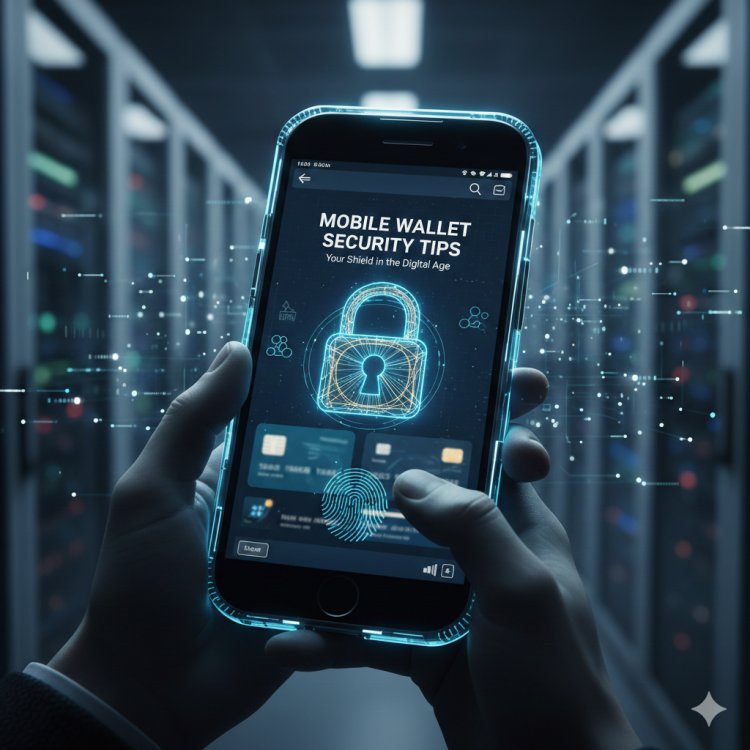
Introduction: The Digital Currency Revolution
The shift from leather billfolds to digital interfaces is no longer a futuristic concept; it is a global reality. As of 2026, mobile wallets have become the primary method of transaction for billions of people across every continent. Whether you are a professional in London, a student in Tokyo, or a small business owner in Nairobi, your smartphone is likely your most valuable financial tool.
However, with convenience comes vulnerability. The same technology that allows you to pay for a coffee with a tap also opens a window for sophisticated cybercriminals. Understanding mobile wallet security is not just for IT professionals; it is a fundamental life skill in the modern age.
The Architecture of a Mobile Wallet
To secure a mobile wallet, one must first understand how it functions. Unlike a physical wallet, which holds physical representations of value, a mobile wallet stores "tokens." When you tap your phone at a terminal, the device does not send your actual credit card number. Instead, it sends a randomized string of data called a token.
This process, known as tokenization, is the first line of defense. Even if a hacker intercepts the transmission, the data they receive is useless for future transactions. However, the security of the token is only as strong as the security of the device housing it.
1. Strengthening the First Gate: Device Access
The most common threat to your digital funds is physical theft of the device. If an unauthorized user gains access to your home screen, they are halfway to your bank account.
-
Biometrics as a Standard: Use high-fidelity fingerprint scanners or 3D facial recognition. Avoid simple "pattern" swipes, which leave oily residue on the screen that can be easily traced.
-
Complex Passcodes: If you must use a PIN, avoid birth years or sequential numbers. A six-digit PIN is significantly harder to crack than a four-digit one.
-
Automatic Lockdown: Set your screen to timeout after 30 seconds of inactivity.
2. The Power of Multi-Factor Authentication (MFA)
MFA is the single most effective deterrent against remote hacking. Even if a criminal steals your login credentials, they cannot access your wallet without a second form of verification.
Always opt for hardware-based MFA or authenticator apps (like Google Authenticator or Authy) over SMS-based codes. SMS codes are vulnerable to "SIM swapping," a technique where hackers trick your service provider into porting your phone number to their device.
3. Network Hygiene: The Dangers of Public Wi-Fi
Public Wi-Fi is an open playground for "Man-in-the-Middle" (MitM) attacks. In these scenarios, a hacker sets up a fake hotspot with a generic name like "Airport_Free_WiFi." When you connect, they can monitor every packet of data leaving your device.
-
Use a VPN: A Virtual Private Network creates an encrypted tunnel for your data.
-
Stick to Cellular Data: When performing financial transactions, 5G or 4G connections are far more secure than public hotspots.
4. Understanding Phishing and Social Engineering
Cybercriminals have moved from hacking software to hacking humans. You might receive a text message (Smishing) claiming your wallet has been suspended and providing a link to "verify" your identity.
Professional institutions will never ask for your private keys, passwords, or full PIN via text or email. Always navigate directly to the official app rather than clicking links provided in messages.
5. Software Integrity and Updates
Operating system updates often include "security patches" that close backdoors discovered by researchers.
-
Avoid Jailbreaking: "Rooting" or "jailbreaking" a device removes the manufacturer's security "sandbox," making it significantly easier for malware to scrape data from your payment apps.
-
App Source Veracity: Only download wallet apps from official stores like the Apple App Store or Google Play Store. Third-party APKs are a common vector for trojans.
6. The Role of Remote Wipe and Tracking
Every major smartphone manufacturer provides a "Find My Device" service. Ensure this is active. If your phone is stolen, you can remotely trigger a "factory reset," erasing your wallet data before the thief can attempt to bypass the lock screen.
Conclusion: A Proactive Stance
Mobile wallet security is not a "set it and forget it" task. It is a continuous practice of digital hygiene. By combining hardware features like biometrics with software solutions like MFA and VPNs, you create a multi-layered defense that makes you an unattractive target for criminals.
Stay vigilant, keep your software updated, and treat your smartphone with the same level of care you would a physical safe filled with cash.
What's Your Reaction?